

Hire UI and UX designers
AcmaSoft's UI and UX designers research your users, design journeys, wireframes and interfaces in Figma, test prototypes with real people and hand over files and design systems developers can build from.
Download the Mobile app design brochure
- Interview before they start
- Full time, part time or a team
- Works in your tools
- Scale up or down any month

Experienced UI and UX designers for your project
Our UI and UX designers research how people use your product, map the journeys that matter most and design interfaces that are clear, accessible and consistent. They work in Figma, test prototypes with real users and hand over components and specs that developers can build without guesswork.
They design for the web and for mobile, following Material 3 on Android and the Human Interface Guidelines on iOS, and check contrast, focus states and text sizes against WCAG 2.2. For full design projects, see our web UI and UX design page and our design systems service.
What you get when you hire UI and UX designers
- Profiles matched to your stack and project
- Interviews with the people you shortlist
- A developer on your priorities from day one
- A project lead when you need one
- Monthly engagement you can extend or end
Works with
Services they work on
Skills our UI and UX designers bring
-

User research
Interviews, analytics reviews and usability tests that show where people struggle and what they need.
-

Journeys and wireframes
User flows, information architecture and wireframes agreed before visual design starts.
-

Interface design
High-fidelity screens in Figma with variants, states and responsive layouts for every size.
-
Design systems
Component libraries, design tokens and documentation shared with your developers.
Why hire UI and UX designers from AcmaSoft
A designer embedded in your team keeps decisions close to the people who build and use the product.
-

Tested, not guessed
Prototypes are tested with real users before they reach developers, so changes are cheap.
-

Accessible from the start
Contrast, focus order, touch targets and text sizes are part of every review.
-

Developer-ready files
Organised Figma files, named components and specs mean fewer questions during the build.
-

Developers nearby
Our front-end and mobile developers can build the designs when you need them to.
Ways to hire UI and UX designers
Pick the model that fits the work today. You can move between them as your product and plans change.
-
Dedicated UI and UX designer
One specialist working full time on your product, as part of your team.
- Full time, on your priorities
- Works in your tools and processes
- Direct communication, daily updates
- Monthly engagement you can extend
-
Part-time or hourly
Flexible hours for maintenance, smaller features or a second pair of hands.
- A block of hours each month
- Ideal for support and small changes
- Same specialist every time
- Scale up to full time when needed
-
Dedicated team
UI and UX designers with a project lead, designers and testers, working only on your product.
- A project lead who reports to you
- Design, development and testing together
- Agreed sprint plan and demos
- Grow or reduce the team as work changes
Seniority levels for UI and UX designers
We suggest the level that fits the work, and the monthly fee follows the role and seniority. One team can mix levels.
-
Mid-level
Designs screens and flows within an existing design system, prepares variants, states and specs for developers and applies feedback from reviews and tests.
-
Senior
Owns journeys from research to tested prototypes, plans information architecture, runs usability tests and builds components for the design system.
-
Lead
Sets the product design direction and research plan, owns the design system, agrees priorities with product and engineering leads and guides the designers.
Working with international clients
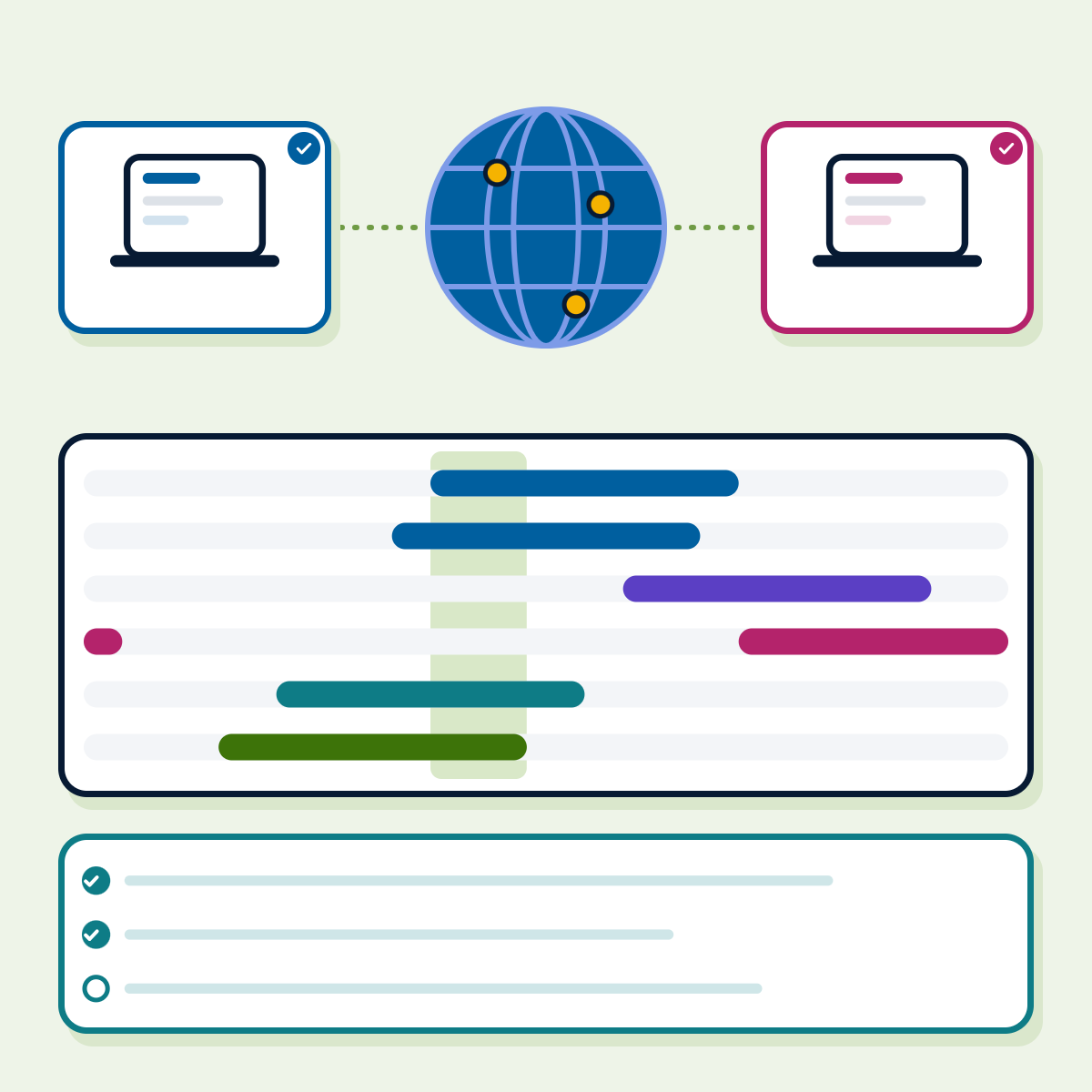
Our team delivers remotely, so the questions that matter are when we can talk and how the work is run. Here are our office hours beside yours.
Our office hours Monday to Saturday, 9:30 am to 6:30 pm India time (IST)
Evening hours for North American clients, by arrangement: Monday to Friday, 6:30 pm to 9:30 pm India time
| Your region | Our hours in your time | Shared working hours |
|---|---|---|
| UKLondon | 4 am to 1 pm | 9 am to 1 pm |
| Central EuropeParis, Berlin | 5 am to 2 pm | 9 am to 2 pm |
| US EastNew York, Toronto | 11 pm to 8 am (next day) Evening hours to 11 am | 9 am to 11 am In our evening hours, by arrangement |
| US WestLos Angeles, Vancouver | 8 pm to 5 am (next day) Evening hours to 8 am | No overlap Early calls 7 am to 8 am, by arrangement |
| GulfDubai, Abu Dhabi | 8 am to 5 pm | 9 am to 5 pm |
| Singapore | 12 noon to 9 pm | 12 noon to 6 pm |
| Australia EastSydney, Melbourne | 3 pm to 12 midnight | 3 pm to 6 pm |
Our day ends before yours starts, so updates are waiting each morning and we agree call times with you.
Times follow daylight saving where your region uses it, against a working day of 9 am to 6 pm. Messages sent outside our hours are picked up when the team is back.
-
Remote, in your tools
Your specialist works remotely in your repository, task board and chat, joins your stand-ups and reviews, and keeps to the hours of overlap agreed with you.
-
Contracts and invoices
A monthly fee per person by role and seniority, set out in the proposal and invoiced in US dollars, or in your own currency on request.
-
Confidentiality and ownership
A non-disclosure agreement can be signed before you share details. The code and project files are yours once the related invoices are paid.
-
Your data, your rules
Specialists work only with the access you grant and follow your security policies, with test or anonymised data wherever possible.
How hiring works
From the first call to an UI and UX designer working on your product.
-
Call about the product
Tell us what you are designing, who uses it and where design is holding you back.
-
Skills and focus
We agree whether you need research, interface design, a design system or a mix.
-
Portfolios and interviews
We share designers with relevant case work, and you interview the ones you like.
-
Proposal and contract
We confirm in writing who your UI and UX designer is, the hours, the start date and the monthly cost, then sign the contract.
-
Onboarding
The designer gets access to your files, analytics and team channels and agrees the first brief.
-
Reviews and handover
Work is reviewed with you and your developers at agreed points, and handed over ready to build.
Ready to meet your UI and UX designer?
Talk to a hiring specialistWhat our clients say
-
AcmaSoft transformed our app design, making it more user-friendly and efficient. Their dedication to perfection is evident in the results.
Laura B London
Questions about hiring UI and UX designers
Something else on your mind? Ask us directly and a specialist will reply.
Ask a questionHow much does it cost to hire a UI and UX designer?
The cost of a UI and UX designer depends on seniority, the mix of research, wireframes, interface design and design system work, the number of platforms (web, iOS, Android), and the hours and months involved. We charge a monthly fee per person by role and seniority, set out in a written proposal.
How soon can a UI and UX designer start?
A call covers your product, users and design files. We share designer profiles, you interview them, and once you approve one the start date is agreed in the proposal. Before the first task they get access to your Figma workspace, research notes and analytics.
What should we test when interviewing a UI and UX designer?
Ask them to walk through a project from research and user flows to tested prototypes and final screens, and how they hand over components and specs. Discuss accessibility checks and design tokens. You interview the shortlisted designers before anyone starts.
What if the UI and UX designer is not the right fit?
Tell us and we discuss the work and feedback with you. If another designer suits better, we handle the replacement and propose a new UI and UX profile for you to interview. Files stay in your Figma workspace, so the work continues from where it stopped.
How does a UI and UX designer work with our team?
Your UI and UX designer works in your Figma workspace, takes tasks from your board and joins product planning with your developers. Usability tests and design reviews are scheduled with your team, in agreed hours of overlap with your time zone.
Related insights
All insights-
 16 Nov 2026
How to hire dedicated developers: models, vetting, contracts and costs
A buyer guide to hiring dedicated developers: choosing the engagement model, where to find developers, vetting and a…
-
 13 Nov 2026
Outsourcing vs in-house software development: how to decide
Compare in-house and outsourced software development on control, cost, skills and risk, with a decision flow, a three-year…
-
 21 Mar 2024
What is web design? How it differs from development and UX
What web design covers, how it differs from UX design and web development, what a designer should hand…
Hire specialists for every part of your product
All hiring options-
Hire UI and UX designers AcmaSoft's UI and UX designers research your users, design journeys, wireframes and interfaces in Figma, test prototypes with real people and hand over files and design systems developers can build from. You are here
- Hire website designers AcmaSoft's website designers create clear, on-brand layouts in Figma for every page and screen size, planned around your content and goals, and ready for development on WordPress, Shopify or a custom build.
- Hire graphic designers AcmaSoft's graphic designers create brand identities, marketing material, print and packaging, social media creatives and illustrations, and deliver editable templates and source files that keep your brand consistent.
- Hire iOS developers AcmaSoft's iOS developers build native iPhone and iPad apps in Swift and SwiftUI, using Apple frameworks such as Apple Pay and HealthKit, from first release on the App Store to updates for every new version of iOS.
- Hire Android developers AcmaSoft's Android developers build, test and release native apps in Kotlin and Jetpack Compose, from device features and offline data to Play Console releases, working full time, part time or as a dedicated team.
- Hire Flutter developers AcmaSoft's Flutter developers build iOS and Android apps from one Dart code base, with Riverpod or Bloc for state and tests at every layer, so you launch on both stores sooner and maintain one product.
- Hire React Native developers AcmaSoft's React Native developers build one app for iPhone and Android from a single JavaScript or TypeScript code base, on Expo or the bare workflow, sharing skills and code with your React web team.
- Hire mobile app developers AcmaSoft's mobile app developers design, build and release iOS, Android and cross-platform apps in Swift, Kotlin, Flutter or React Native, and keep them updated after launch, with the back end built by the same team when needed.
- Hire full-stack developers AcmaSoft's full-stack developers build complete features from database to interface, on the MERN stack, Next.js or Laravel with React or Vue, including sign-in, payments, deployment and automated tests.
- Hire PHP developers AcmaSoft's PHP developers build and maintain web applications, portals and APIs in modern, typed PHP with Laravel or Symfony, and upgrade older code and frameworks to PHP 8, adding tests along the way.
- Hire Laravel developers AcmaSoft's Laravel developers build web applications, APIs and SaaS products in typed PHP 8, with clean architecture, queued jobs and automated tests, working on your priorities in your repository.
- Hire Node.js developers AcmaSoft's Node.js developers build APIs, real-time features and back ends in TypeScript with NestJS, Express or Fastify, designed to handle many users at once and integrate cleanly with your systems.
- Hire Django developers AcmaSoft's Python and Django developers build web applications, Django REST Framework APIs and admin tools that are secure, well tested and easy to extend, with Celery workers for background jobs.
- Hire .NET developers AcmaSoft's .NET developers build ASP.NET Core web apps and APIs in C#, with Entity Framework Core and SQL Server, and move older .NET Framework and Web Forms applications to current .NET in stages.
- Hire CakePHP developers AcmaSoft's CakePHP developers build new features, maintain existing applications and upgrade them from CakePHP 2, 3 or 4 to CakePHP 5 on PHP 8, adding tests as they go and working as part of your team.
- Hire CodeIgniter developers AcmaSoft's CodeIgniter developers build and maintain lightweight PHP applications, APIs and admin panels, and upgrade CodeIgniter 3 projects to version 4 in stages, with feature tests so behaviour stays the same.
- Hire Yii developers AcmaSoft's Yii developers build and maintain Yii 2 applications, REST APIs and admin panels, keep older Yii systems running on supported PHP versions, and document what they change for your team.
- Hire AI and LLM developers AcmaSoft's AI and LLM developers add large language models to your product, from chat assistants and document search to agents that work with your own data and systems, with tests that keep answer quality measurable.
- Hire DevOps engineers AcmaSoft's DevOps engineers set up CI/CD pipelines, containers and cloud infrastructure on AWS or Azure, described in Terraform, with monitoring and alerts so problems are found early and releases can be rolled back.
- Hire React developers AcmaSoft's React developers build fast, maintainable interfaces, single-page applications and design systems in TypeScript, with accessible components previewed in Storybook, working in your team and tools.
- Hire Next.js developers AcmaSoft's Next.js developers build server-rendered, search-friendly sites and web apps on the App Router, connected to headless CMS, commerce and login services, and deployed on Vercel, at the edge or on your own servers.
- Hire Angular developers AcmaSoft's Angular developers build and maintain large business web applications in TypeScript, from dashboards and portals to step-by-step upgrades of older AngularJS apps to current Angular.
- Hire Vue.js developers AcmaSoft's Vue.js developers build fast, maintainable interfaces with Vue 3 and Nuxt, from single features in a Laravel app to complete single-page applications, with Pinia for state and TypeScript throughout.
- Hire front-end developers AcmaSoft's front-end developers build fast, accessible interfaces in React, Angular or Vue with modern CSS, built from your design files and tested from small phones to large desktop monitors.
- Hire HTML5 developers AcmaSoft's HTML5 developers turn Figma, Sketch or Adobe XD designs into fast, accessible, responsive pages, templates and email layouts that work in every modern browser and drop into any CMS.
- Hire WordPress developers AcmaSoft's WordPress developers build custom block themes, plugins and WooCommerce stores, and keep your site fast, secure and easy for editors to change, with every update tested on staging first.
- Hire Shopify developers AcmaSoft's Shopify developers build Online Store 2.0 themes, custom apps and integrations, migrate stores and set up everything your team needs to sell more, from Shopify Functions to checkout extensions on Shopify Plus.
- Hire Magento developers AcmaSoft's Magento and Adobe Commerce developers build extensions, integrations and upgrades for stores with large catalogues and complex rules, keeping custom code upgrade-safe and tested on staging before every release.
- Hire Drupal developers AcmaSoft's Drupal developers build custom modules and Twig themes, migrate content from Drupal 7 with the Migrate API, and keep large, content-rich and multilingual websites secure and up to date.
- Hire Joomla developers AcmaSoft's Joomla developers build extensions and templates, upgrade Joomla 3 sites to current Joomla and keep your website secure, multilingual where needed and easy for editors to manage.
- Hire CMS developers AcmaSoft's CMS developers work on WordPress, Drupal and Joomla: they build themes and plugins, migrate content with redirects in place, and keep your site fast, secure and easy for editors to update.
- Hire digital marketers AcmaSoft's digital marketers plan and run your SEO, paid ads, social media and email work in accounts that stay in your name, with reliable tracking and monthly reports on leads and sales by channel.
- Hire SEO experts AcmaSoft's SEO experts fix technical issues, plan content around the searches your customers make, improve local listings and earn relevant links, with monthly reports that put organic leads alongside rankings.
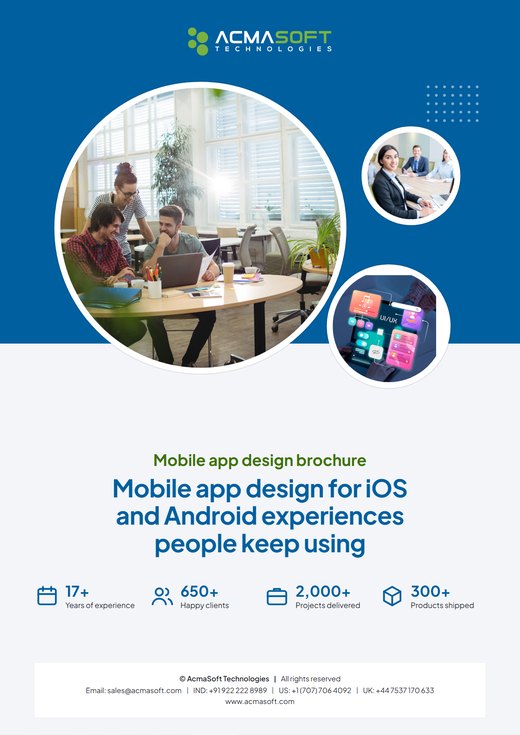
Mobile app design brochure
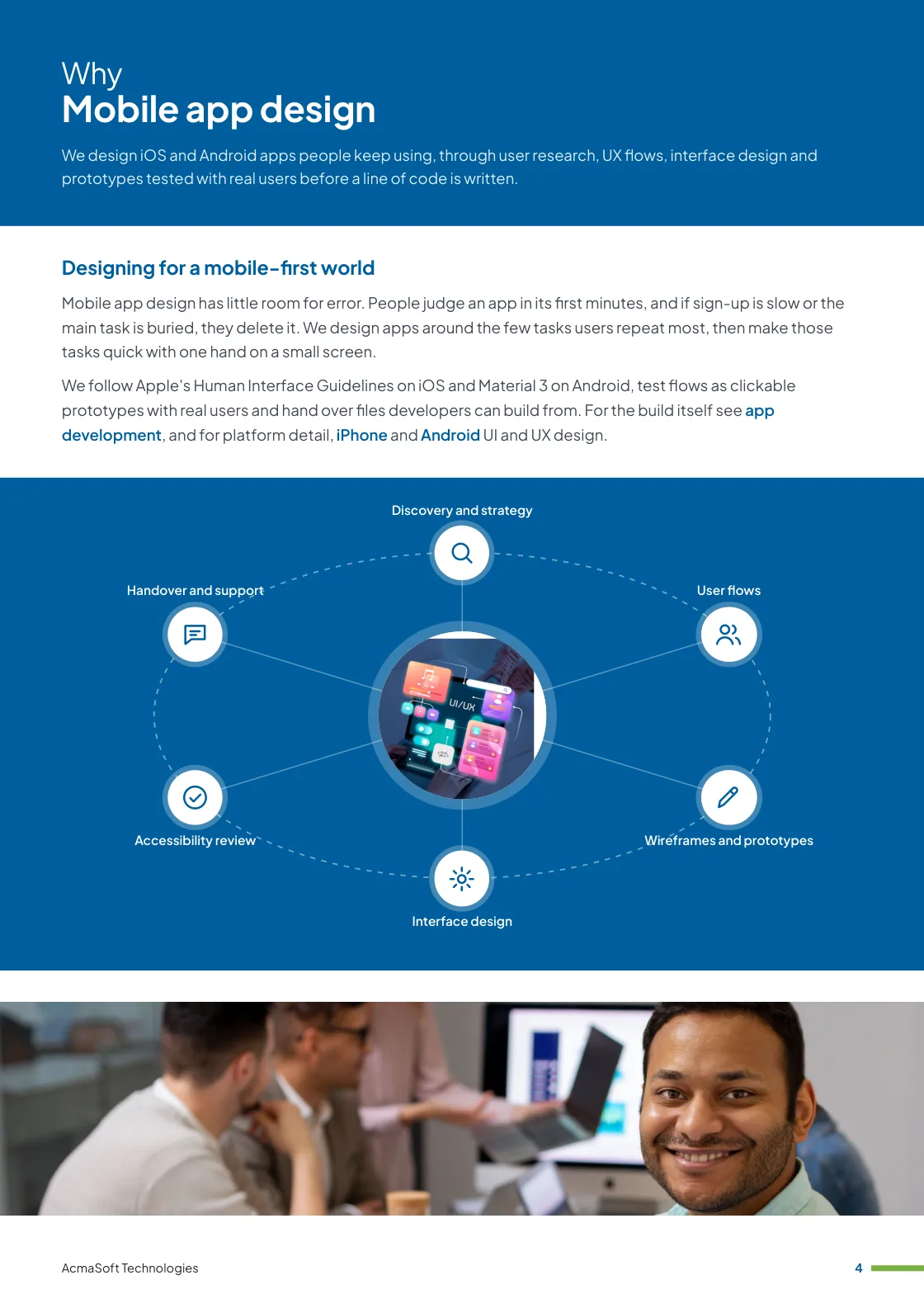
We design iOS and Android apps people keep using, through user research, UX flows, interface design and prototypes tested with real users before a line of code is written.
Inside this brochure
- Designing for a mobile-first world
- Our app design process
- How an app design project runs
- Technologies and solutions
- 3.5 MB
- 10 pages
- Services
You have downloaded from us before, so this one needs no form.
Get the brochure
Tell us who you are and the download starts straight away. We remember you on this device for 90 days, so you only fill this in once.
Your download has started.
If it does not start, download the brochure here. The links work for 15 minutes.
- Your reference
- Brochure
What you can do next
- Read it and share itShare the brochure with your team before you get in touch. It is free to read and share.
- Get a quote when you are readySix short questions on our request a quote page, and a reply within one business day.
Tell us who you need
Share your project, stack and the hours you need. A specialist will reply with UI and UX designers profiles that match, and next steps.
- Emailsales@acmasoft.com
- Call+1 (707) 706 4092
- Prefer a call?
Thank you, your message is on its way.
It has reached our sales team, together with the page you sent it from.
- Your reference
- Budget
While we prepare your reply, here is the Mobile app design brochure.
Download the brochure, Mobile app design brochure, PDF, 3.5 MBWhat happens next
- A specialist gets in touchWithin one business day, by email or phone, with any questions about what you need.
- We talk it throughA short call about your goals, users, timeline and budget. We can sign an NDA first.
- You get a proposalScope, team, timeline and cost, with the engagement model that fits the work.