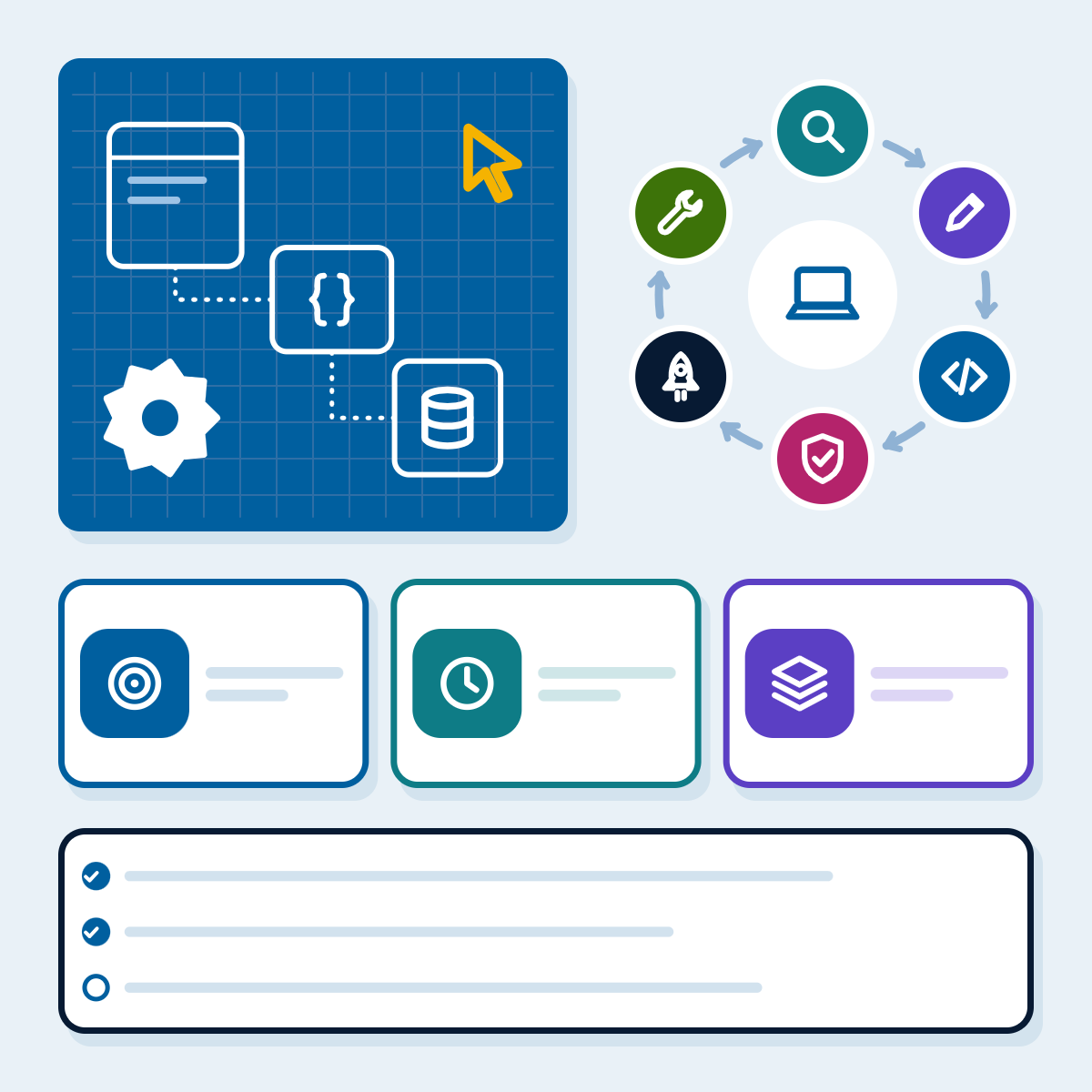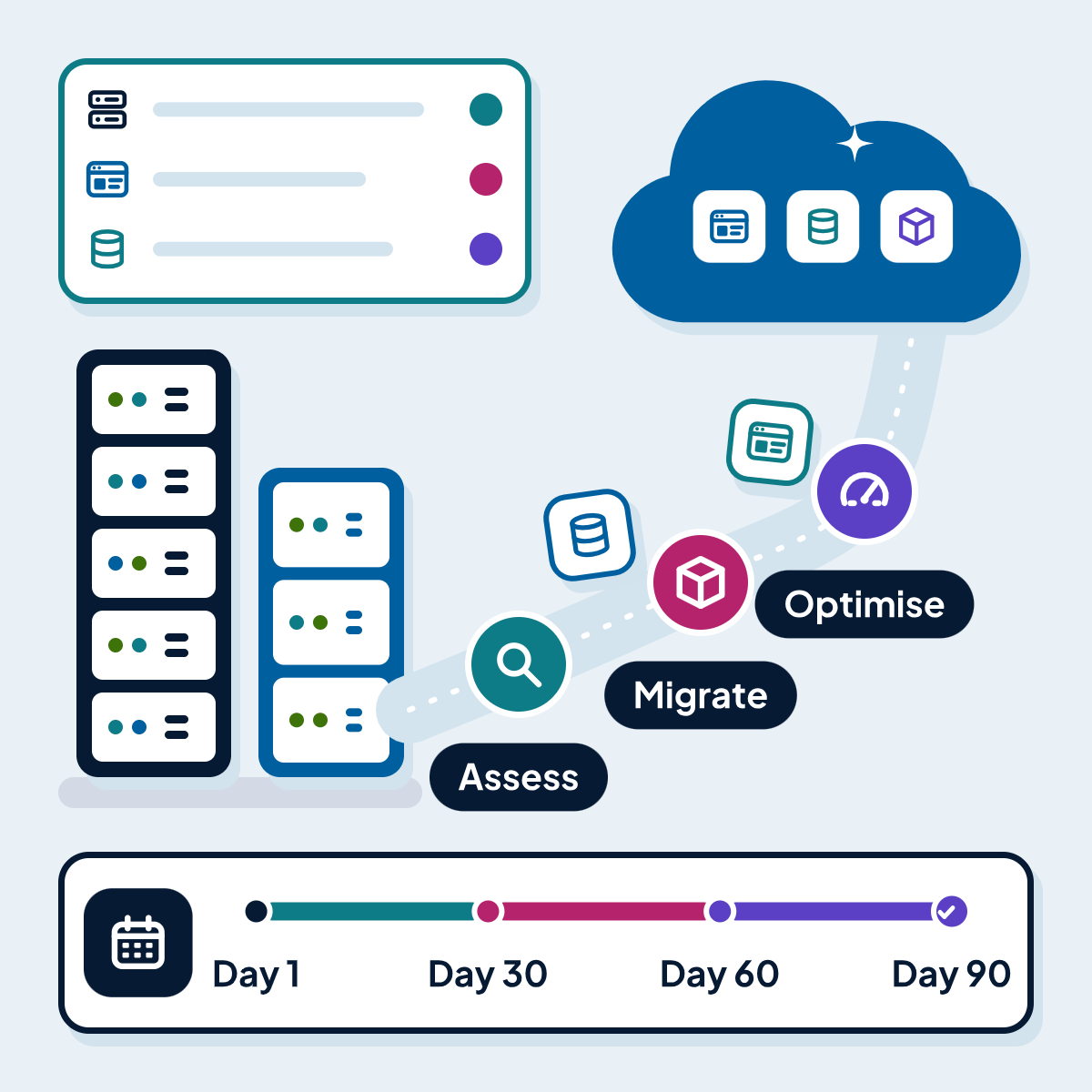
The 7 Rs applied to a typical mid-sized estate, provider and region choice in eight markets, data transfer rules, the cost structure of a migration and a 90-day plan you can adapt.
Most cloud migrations that disappoint do so for the same reason: servers were copied across unchanged, the monthly bill turned out higher than the old hosting, and the promised flexibility never arrived because nothing about how the systems were built or run had changed. Most migrations that go well share the opposite habit: every application gets its own decision, data is moved with checks, and the cost is forecast before anything moves.
This guide is for owners, operations leads and IT managers at mid-sized businesses planning a move to AWS, Microsoft Azure or Google Cloud. It covers the seven migration strategies (the “7 Rs”) applied to a typical estate, how to choose a provider and a region in each of our eight markets, the data transfer rules you will meet, what a migration costs in structure, and a 90-day plan you can adapt. It reflects how our cloud migration services run projects, and every rule or region below links to its official source, checked on 13 Nov 2026.
Key takeaways
- Decide per application, not per estate: the 7 Rs (retire, retain, rehost, relocate, repurchase, replatform, refactor) give each workload its own route.
- AWS's own guidance recommends rehosting, relocating or replatforming during a large migration and modernising afterwards, because refactoring during the move is the hardest route to manage.
- All three major providers have regions in the UK, USA, Canada, Australia, India, Singapore and the EU; for the UAE, AWS and Azure have in-country regions and Google Cloud's nearest are in Qatar and Saudi Arabia.
- Data transfer rules differ by market, and moving data to a cloud region abroad can be a regulated transfer; settle this before choosing a region.
- A realistic first 90 days covers discovery, decisions, a secure landing zone, a pilot wave and the first production waves, with dual running costs budgeted.
Is the cloud the right move for you?
Public clouds let you rent computing, storage and managed services by the hour in regions close to your users, and add capacity without buying hardware. They pay off when your load varies, when you need managed databases, backups and security services you would otherwise run yourself, or when your hardware is ageing and a single server has become a single point of failure.
They do not pay off for every system. A typical business website or a small online store often runs more simply and cheaply on managed hosting, and we say so when we assess an estate. Some systems should stay where they are for now, because of specialised hardware, a recent upgrade or data rules. Part of a good migration plan is a short list of what is not moving, and why.
The 7 Rs of cloud migration
The seven migration strategies come from AWS Prescriptive Guidance, and Azure and Google Cloud use similar terms. Each application in your estate gets exactly one.
| Strategy | What it means | When it fits | Effort |
|---|---|---|---|
| Retire | Switch the application off, archiving its data | No business value left, unsupported software, no inbound use in recent months | Lowest |
| Retain | Keep it where it is for now | Data residency rules, specialised hardware, a recent upgrade, or a SaaS version expected soon | None now |
| Rehost | Move as is onto cloud virtual machines ("lift and shift") | Many servers, a fixed deadline such as a data centre exit, little appetite for change | Low |
| Relocate | Move a whole platform, such as a virtualised cluster, to its cloud version without changing the applications | Large virtualised estates that must keep their tooling | Low |
| Repurchase | Replace the application with a different product, usually SaaS ("drop and shop") | A commodity function where a SaaS product meets your needs | Medium |
| Replatform | Move with targeted changes, such as a self-run database moved to a managed database service | When a few changes cut running cost or operations work | Medium |
| Refactor or re-architect | Rebuild parts of the application with cloud-native services | Strong business demand to scale, release faster or replace a monolith that limits the business | Highest |
Source: AWS Prescriptive Guidance, Guide for AWS large migrations: About the migration strategies, checked 13 Nov 2026
AWS’s guidance is blunt about the last row: refactoring is “not recommended for large migrations” because it modernises the application during the move, which is the most complex route to manage. It recommends rehosting, relocating or replatforming first and modernising once the migration is complete. That sequencing also helps the business case: you stop paying for the old environment sooner, and modernisation is funded from a stable base. When that time comes, our guide to custom software development covers how a rebuild is scoped, staffed and contracted.
The same guidance offers a practical test for retiring: applications with average CPU and memory use below 5% are what it calls “zombie” applications, and those between 5% and 20% over 90 days are “idle”. Both are candidates to retire or consolidate before you pay to move them.
The 7 Rs applied to a typical mid-sized estate
The table below shows how the strategies usually fall for an illustrative estate of the kind we assess: a company with a public website, an online store, a line-of-business application, a database server, file shares, email and a few internal tools. It is an example to show the reasoning, not a client case.
| Workload | Decision | Reasoning |
|---|---|---|
| Company website on a dedicated server | Repurchase or replatform | Managed hosting or a managed container service removes server upkeep; the site itself barely changes |
| Online store | Replatform | Move the database to a managed service and the files to object storage; keep the application code |
| Line-of-business application (ERP, CRM or a custom system) | Rehost first, refactor later | Move quickly with low risk, then modernise the parts that limit the business |
| Database server shared by several applications | Replatform | A managed database with automated backups and failover, sized after measuring real load |
| File shares | Repurchase | A cloud file or document service with permissions mapped from the current setup |
| Email server | Repurchase | Hosted email is a commodity service |
| Old reporting tool with no recent users | Retire | Archive the data and stop paying to run it |
| Factory or telephony system tied to local hardware | Retain | No cloud equivalent for the hardware; review at the next refresh |
Source: AcmaSoft illustration of the 7 Rs; not a client case
Choosing a provider
AWS, Azure and Google Cloud all offer virtual machines, managed databases, containers, object storage, identity, monitoring and backup in some form. For a mid-sized business the deciding factors are usually practical:
- The managed services your applications need: for example a particular database engine, a container platform or an analytics service.
- Regions in the markets where your data may be stored (next section).
- Your team’s skills and existing contracts: a team that already runs Microsoft 365 and Windows servers often finds Azure familiar; a team with Linux and open-source experience may prefer AWS or Google Cloud.
- Licences you already own: some software licences can move to a particular provider, which can change the cost comparison.
- Support and partner availability in your time zone.
Each provider publishes a framework for designing well-run workloads, and they are worth reading before you design the target environment. The AWS Well-Architected Framework has six pillars: operational excellence, security, reliability, performance efficiency, cost optimisation and sustainability. The Azure Well-Architected Framework and the Google Cloud Architecture Framework cover the same ground with their own structure. We will compare the three providers in more depth in a separate article.
Cloud regions in our eight markets
Where your data sits affects latency for your users and, for personal data, which rules apply. The table lists one example region per provider in each market from the providers’ own region lists. Most markets have more than one region; check the full lists for the services you need, because not every service is offered in every region.
| Market | AWS | Azure | Google Cloud |
|---|---|---|---|
| UK | eu-west-2, Europe (London) | UK South, London | europe-west2, London |
| USA | us-east-1, US East (N. Virginia), and others | East US, Virginia, and others | us-east4, Ashburn, Virginia, and others |
| Canada | ca-central-1, Canada (Central); ca-west-1, Calgary (opt-in) | Canada Central, Toronto | northamerica-northeast2, Toronto; northamerica-northeast1, Montréal |
| UAE | me-central-1, Middle East (UAE) (opt-in) | UAE North, Dubai | No UAE region; nearest me-central1, Doha, and me-central2, Dammam |
| Australia | ap-southeast-2, Sydney | Australia East, New South Wales | australia-southeast1, Sydney |
| India | ap-south-1, Mumbai; ap-south-2, Hyderabad (opt-in) | Central India, Pune | asia-south1, Mumbai; asia-south2, Delhi |
| Singapore | ap-southeast-1, Singapore | Southeast Asia, Singapore | asia-southeast1, Jurong West, Singapore |
| EU | eu-central-1, Frankfurt; eu-west-1, Ireland | Germany West Central, Frankfurt | europe-west3, Frankfurt |
Source: AWS Regions list; Microsoft Azure regions list (updated 13 Oct 2026); Google Compute Engine regions and zones (updated 10 Nov 2026); all checked 13 Nov 2026
“Opt-in” means AWS requires you to enable the region in your account before you can use it. If you serve several markets, a common pattern is one primary region near most users, with personal data for a specific market kept in that market’s region where its rules or your contracts require it.
Want a second opinion on your plans?
Tell us what you are working on. A specialist will look at it and reply with practical next steps.
Get in touchData residency and transfer rules by market
Moving personal data from one country to a cloud region in another can count as an international transfer under data protection law. The rules below are summarised from the official sources; they describe the law and are not legal advice. Your contracts and your sector’s rules may be stricter, so involve your data protection lead before the region is final.
| Market | Law named | What it says about transfers abroad, in brief |
|---|---|---|
| EU | GDPR, Chapter V | Transfers outside the EEA need an adequacy decision or appropriate safeguards, such as standard contractual clauses |
| UK | UK GDPR | A "restricted transfer" needs UK adequacy regulations or a safeguard such as the UK IDTA or the Addendum to the EU clauses |
| USA | Sector and state laws, for example HIPAA (health) and the CCPA (California) | Rules depend on your sector and the states your customers live in; check contracts with health, finance and public sector clients |
| Canada | PIPEDA | Transfers for processing are not prohibited, but the organisation stays accountable and must use contracts or other means to give comparable protection |
| UAE | Federal Decree-Law No. 45 of 2021 (PDPL), in force since 2 Jan 2022 | Regulates cross-border transfer and sharing of personal data; check the conditions for the destination |
| Australia | Privacy Act 1988, APP 8 | Before disclosing personal information overseas, take reasonable steps so the recipient does not breach the APPs; the entity can stay accountable for the recipient |
| India | DPDP Act 2023, section 16 | The central government may restrict transfers to countries it notifies; other Indian laws that give higher protection still apply |
| Singapore | PDPA 2012, section 26 | Transfers abroad must meet prescribed requirements that give a standard of protection comparable to the PDPA |
Source: EUR-Lex GDPR; ICO international transfers guidance; Office of the Privacy Commissioner of Canada; OAIC APP 8 guidelines; UAE government portal; MeitY, Digital Personal Data Protection Act 2023; Singapore Statutes Online, PDPA 2012; checked 13 Nov 2026. Not legal advice.
For a deeper look at the EU rules, see the GDPR on EUR-Lex and the ICO’s guidance on international transfers. In practice, three questions settle most cases: which personal data is in each workload, which customers’ contracts mention data location, and whether the provider’s standard data processing terms cover the transfers you plan.
What a cloud migration costs
Migration budgets go wrong in two places: the running cost of the target environment, and the months when you pay for the old and new environments at the same time. The table sets out the cost structure without prices, because every figure depends on your estate.
| Cost | One-off or recurring | What drives it |
|---|---|---|
| Discovery and assessment | One-off | Number of applications, how well they are documented, number of dependencies |
| Landing zone (accounts, network, identity, security baseline, monitoring) | One-off, then small upkeep | Number of environments, compliance needs, infrastructure as code |
| Migration labour per wave | One-off | The R chosen for each workload; refactoring costs most |
| Data transfer and synchronisation | One-off | Data volume, change rate during the move, the cut-over window you can accept |
| Testing and cut-over | One-off | Number of integrations, test automation already in place |
| Dual running | Temporary | How long the old and new environments both run; plan for it in every wave |
| Compute, storage and managed services | Recurring | Sizing, hours running, pricing model (on demand or committed use) |
| Data transfer out of the cloud | Recurring | Traffic to users, other clouds and your offices |
| Backups, monitoring and security services | Recurring | Retention periods, log volume, number of resources |
| Support plan and operations | Recurring | The provider support tier and who runs the environment day to day |
| Licences | Recurring | Operating systems, databases and third-party software; some can be brought from your current estate |
Source: AcmaSoft cost model; FinOps Foundation framework phases
Keeping the bill predictable
The FinOps Foundation describes cloud cost management as a loop of three phases: Inform (make cost and usage visible and allocate it to owners), Optimise (use fewer resources and pay less for the ones you need) and Operate (put the changes into everyday practice). Three habits from that loop matter most in the first year after a migration:
- Tag everything from day one with an owner, an environment and an application, so every pound, dollar or rupee has someone accountable for it.
- Size on measured load, not on the old server. On-premises servers are often sized for peak demand years ahead; in the cloud you can resize after a month of real data.
- Commit only after the estate settles. Committed-use discounts cut the price of steady workloads, but buy them once usage is stable, not on day one.
Our managed cloud and server management team runs this loop for clients after cut-over, with a monthly cost review.
A 90-day cloud migration plan
Ninety days is a realistic first phase for a mid-sized estate of roughly ten to thirty applications with clear owners. It will not move everything, and it should not try to: the aim is a secure landing zone, a proven method and the first production workloads live. Larger estates repeat the wave steps until done.
Step 1: Days 1 to 15: discover
Inventory every application, database, scheduled job, integration and dependency, with its load, owner and business criticality. Collect at least two weeks of utilisation data.
Step 2: Days 16 to 30: decide
Assign one of the 7 Rs to each workload, choose the provider and regions, settle data residency questions, and agree a business case with a cost forecast that includes dual running.
Step 3: Days 31 to 45: build the landing zone
Set up accounts or subscriptions, networking, identity and access, a security baseline, logging, monitoring and backups, all defined as code so they can be rebuilt and reviewed.
Step 4: Days 46 to 60: pilot wave
Move one or two low-risk workloads end to end. Test the data copy, the cut-over runbook and the rollback plan, then write down what to change.
Step 5: Days 61 to 80: first production waves
Move the next group of workloads in waves ordered by dependency, so systems that talk to each other move together. Agree each cut-over window with the business.
Step 6: Days 81 to 90: stabilise and optimise
Resize based on measured load, switch off old servers that have been replaced, review the first month's bill against the forecast, and plan the next waves.
Microsoft’s Cloud Adoption Framework stresses two points that belong in every wave: map dependencies before you set the wave order, and define rollback criteria and procedures before any migration starts. We agree with both, and we do not start a cut-over without them.
Which route for each application?
Use this flow in the decide phase, one application at a time.
Choosing a migration strategy for one application
Question 1: Is the application still used and worth paying for?
- YesGo to question 2
- NoRetire it and archive the data
Question 2: Can it legally and technically move now (data rules, hardware, recent upgrade)?
- YesGo to question 3
- NoRetain it and set a review date
Question 3: Does a SaaS product cover what it does well enough?
- YesRepurchase and plan the data migration
- NoGo to question 4
Question 4: Is it part of a large virtualised platform you want to keep as is?
- YesRelocate the platform
- NoGo to question 5
Question 5: Is the application limiting the business today (scale, release speed, cost)?
- YesRehost or replatform now, then refactor after the migration
- NoGo to question 6
Question 6: Would a managed database, storage or container service cut cost or upkeep with small changes?
- YesReplatform
- NoRehost
Cut-over readiness checklist
Before each production cut-over
- Dependencies of the workload are mapped and moving in the same wave
- Data copy has been tested, with row counts or checksums compared between source and target
- The cut-over window is agreed with the business and communicated to users
- DNS time-to-live values have been lowered in advance so the switch takes effect quickly
- Rollback criteria and steps are written down, and the rollback has been rehearsed
- Monitoring, alerts and backups are active on the target before traffic moves
- Access for the team and for integrations has been tested with real accounts
- Security baseline checks pass: no public storage, least-privilege access, encryption at rest
- The old environment stays available, read-only, until the agreed sign-off date
- Costs are tagged to the application and the owner can see them
Common mistakes we help clients avoid
- Moving everything as is and calling it done. Rehosting is a good first step, but servers sized for on-premises peaks cost more in the cloud. Plan the resize in the same project.
- Forgetting the hidden dependencies. A scheduled job on one server that writes files for another, or a hard-coded IP address in an integration, causes most cut-over surprises.
- Choosing a region before checking the data rules. A region change after go-live is a second migration.
- No owner for the bill. Without tags and a monthly review, costs drift upward quietly.
- Skipping the pilot. The first wave always teaches something; make sure it is a system you can afford to learn on.
How we run cloud migrations at AcmaSoft
Our cloud migration projects follow the plan above. We list every application, database, scheduled job, integration and dependency with its load, owner and criticality, and plan waves that move lower-risk systems first, so lessons are learned before the important systems move. We compare providers in writing on the managed services you need, the regions where your data may be stored, your team’s skills and the licences you already hold, and we give you a cost forecast before anything moves. One named lead stays with the project from the first call to launch.
After cut-over, our DevOps and CI/CD services automate how your applications are built and released on the new platform, and our managed cloud team can take over day-to-day operations, patching and cost reviews. We work with clients in the UK, USA, Canada, UAE, Australia, India, Singapore and Europe, with remote delivery planned around your working hours.
This guide is the first in a series on cloud, DevOps and hosting. Coming articles compare AWS, Azure and Google Cloud for smaller teams, set out a FinOps checklist for cloud cost optimisation, explain DORA metrics and when you need Kubernetes, and compare managed hosting with cloud servers.
Planning a move to AWS, Azure or Google Cloud?
- We start with an inventory and a written plan: the route for each application, the provider and regions, the data rules for your markets and a cost forecast including dual running. See our cloud migration services to talk to a specialist.
Get new guides by email
Articles and guides from our team, and company news. Unsubscribe at any time.
About AcmaSoft
AcmaSoft designs and builds websites, mobile apps and custom software, and runs SEO and digital marketing for its clients.
- Years of experience
- 17+
- Clients served
- 650+
- Projects delivered
- 2,000+
- Products shipped
- 300+