

Workflow automation services that connect your apps and remove manual work
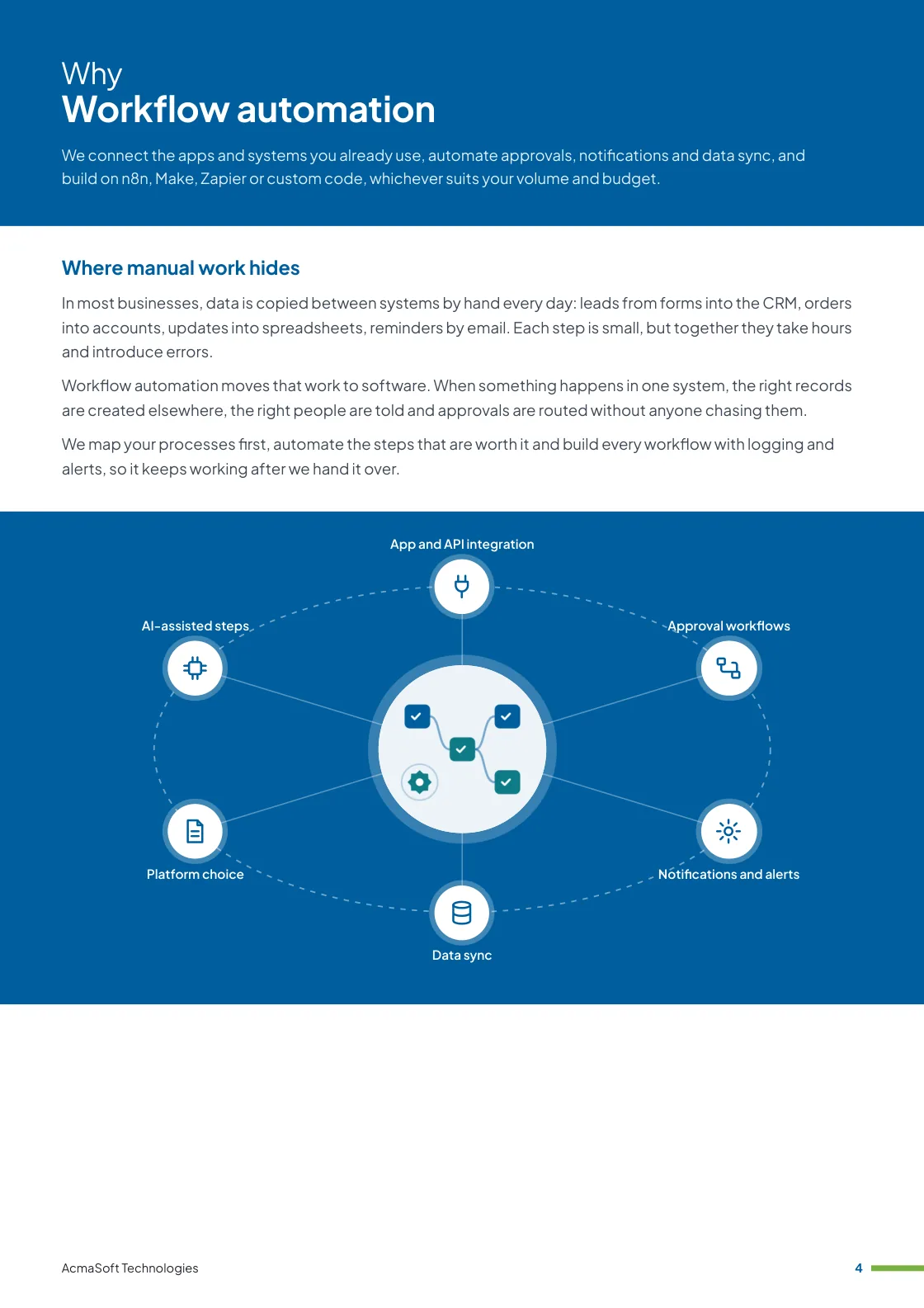
At AcmaSoft, we connect the apps and systems you already use, automate approvals, notifications and data sync, and build on n8n, Make, Zapier or custom code, whichever suits your volume and budget.
- Years of experience
- 17+
- Clients served
- 650+
- Projects delivered
- 2,000+
- Products shipped
- 300+
Where manual work hides
In most businesses, data is copied between systems by hand every day: leads from forms into the CRM, orders into accounts, updates into spreadsheets, reminders by email. Each step is small, but together they take hours and introduce errors.
Workflow automation moves that work to software. When something happens in one system, the right records are created elsewhere, the right people are told and approvals are routed without anyone chasing them.
We map your processes first, automate the steps that are worth it and build every workflow with logging and alerts, so it keeps working after we hand it over.
What you get with workflow automation
- App and API integration
- Approval workflows
- Notifications and alerts
- Data sync
- Platform choice
- One named lead from first call to launch
- Support and improvements after launch
More in AI and automation
Our workflow automation services
Six kinds of automation we build most often, on their own or combined.
-
App and API integration
Systems that talk to each other
We connect CRMs, accounting software, e-commerce platforms, helpdesks, spreadsheets and your own applications through their APIs and webhooks.
Where a system has no API, we use database access, file imports or email parsing.
-
Approval workflows
Decisions without chasing
Purchase requests, discounts, leave, content and expense approvals go to the right person by rules you set, with reminders and escalation.
Approvers can respond from email, Slack, Microsoft Teams or a mobile-friendly page.
-
Notifications and alerts
The right people, informed
Automatic messages by email, SMS, WhatsApp, Slack or Teams when something needs attention: a large order, a failed payment, an overdue task or a new lead.
We set thresholds so people get useful alerts, not noise.
-
Data sync
One version of the truth
Customer, product, order and stock data kept consistent across systems, on a schedule or in real time.
We handle duplicates, conflicts and field mapping so records stay clean.
-
Platform choice
n8n, Make, Zapier or code
Zapier and Make suit quick connections between popular apps, n8n suits complex or self-hosted flows, and custom code suits high volumes or strict security.
We recommend the option with the lowest total cost to run and maintain.
-
AI-assisted steps
Where judgement is routine
Language models can classify incoming emails, extract details from messages or draft replies inside a workflow.
We use AI only where it is accurate enough on your data, and keep a person on decisions that need judgement.
What to look for in a workflow automation partner
Automations are quick to build and easy to break. A good partner provides:
-
Process understanding
They map the whole process with the people who run it before automating anything, so a broken workflow is fixed rather than automated.
-
Reliability by design
Error handling, retries, logs and alerts in every workflow, so failures are visible and fixable.
-
A clean handover
Documentation, ownership and accounts your team controls, so you do not depend on one person's login.
Ways to work with us
Choose the model that fits your scope and budget for workflow automation. Many clients start with one and move to another as the work grows.
-
Fixed price
A defined scope delivered for an agreed price and timeline, in milestones you approve.
- Best for
- Clear requirements, a fixed budget and a firm deadline.
- How it is priced
- One agreed price, paid in instalments tied to milestones.
-
Dedicated team
A team with a project lead that works only on your product, on the priorities you set.
- Best for
- Long-term products and roadmaps that change often.
- How it is priced
- A monthly fee per team member, based on role and seniority.
-
Time and material
You pay for the hours worked and can change the scope as you learn, in short iterations.
- Best for
- Requirements that are hard to fix up front, and ongoing improvements.
- How it is priced
- Hourly or daily rates by role, invoiced monthly against logged time.
Need AI and LLM developers to join your own team instead?
Hire AI and LLM developersWhat our clients say
More client reviews-
AcmaSoft's agile development methods are a game-changer. The iterative approach allowed us to witness progress at every stage, ensuring our project's success.
Daniel K Chicago -
The adaptive nature of AcmaSoft's agile development is commendable. Changes are seamlessly incorporated, ensuring our project stays on track and meets our evolving needs.
Mei Ling Singapore
Industries our AI and automation team works in
Our AI and automation team builds for businesses in these industries, and we adapt workflow automation to each one's rules, systems and customers.

Working with international clients
Our team delivers remotely, so the questions that matter are when we can talk and how the work is run. Here are our office hours beside yours.
Our office hours Monday to Saturday, 9:30 am to 6:30 pm India time (IST)
Evening hours for North American clients, by arrangement: Monday to Friday, 6:30 pm to 9:30 pm India time
| Your region | Our hours in your time | Shared working hours |
|---|---|---|
| UKLondon | 4 am to 1 pm | 9 am to 1 pm |
| Central EuropeParis, Berlin | 5 am to 2 pm | 9 am to 2 pm |
| US EastNew York, Toronto | 11 pm to 8 am (next day) Evening hours to 11 am | 9 am to 11 am In our evening hours, by arrangement |
| US WestLos Angeles, Vancouver | 8 pm to 5 am (next day) Evening hours to 8 am | No overlap Early calls 7 am to 8 am, by arrangement |
| GulfDubai, Abu Dhabi | 8 am to 5 pm | 9 am to 5 pm |
| Singapore | 12 noon to 9 pm | 12 noon to 6 pm |
| Australia EastSydney, Melbourne | 3 pm to 12 midnight | 3 pm to 6 pm |
Our day ends before yours starts, so updates are waiting each morning and we agree call times with you.
Times follow daylight saving where your region uses it, against a working day of 9 am to 6 pm. Messages sent outside our hours are picked up when the team is back.
-
Remote delivery
Discovery, design, development and testing run remotely, with one named lead, a demo of working features at the end of each sprint and a staging site you can try.
-
How we stay in touch
Email, video calls and chat such as Slack, Microsoft Teams or WhatsApp, with the hours of overlap and meeting times agreed in the communication plan at the start.
-
Contracts and invoices
Proposals, contracts and invoices are in English and priced in US dollars, or in your own currency on request. A non-disclosure agreement can be signed before you share any details.
-
Privacy laws we design for
We design forms, consent and data handling with the law of your market in mind: GDPR and UK GDPR, CCPA and CPRA, PIPEDA, the UAE PDPL, the Australian Privacy Act, Singapore's PDPA and India's DPDP Act.
Questions about workflow automation
Something else on your mind? Ask us directly and a specialist will reply.
Ask a questionShould we use n8n, Make, Zapier or custom code?
Zapier and Make suit quick connections between popular apps. n8n suits more complex flows and can be self-hosted. Custom code suits high volumes, unusual systems or strict security needs. We recommend one based on your systems, volume, budget and who will maintain it.
Which processes should we automate first?
Tasks that are frequent, rule-based and error-prone by hand, such as copying data between systems, routine notifications, approvals and report preparation. We estimate the time each one takes today before we build anything.
What happens when an automation fails?
Every workflow logs its runs, retries temporary errors and alerts a named person when something needs attention, so a failed step is fixed rather than silently lost.
Can you automate work in our older systems?
Usually. If a system has an API we use it. If not, we look at database access, file exports or email parsing, and use screen automation only as a last resort because it breaks more easily.
Can you add AI to our workflows?
Yes, where it helps, for example to classify incoming emails, pull details out of messages or draft replies for review. Decisions that need judgement stay with a person.
Can you build custom workflow management software?
Yes. When connecting existing apps is not enough, we build a workflow application of your own: request forms, multi-step approvals by role and amount, task queues, deadlines and escalations, a full history of every case and reports on where work waits. It can run as a web portal for staff, partners or customers, with mobile access for approvals.
Related insights
All insights-
 16 Nov 2026
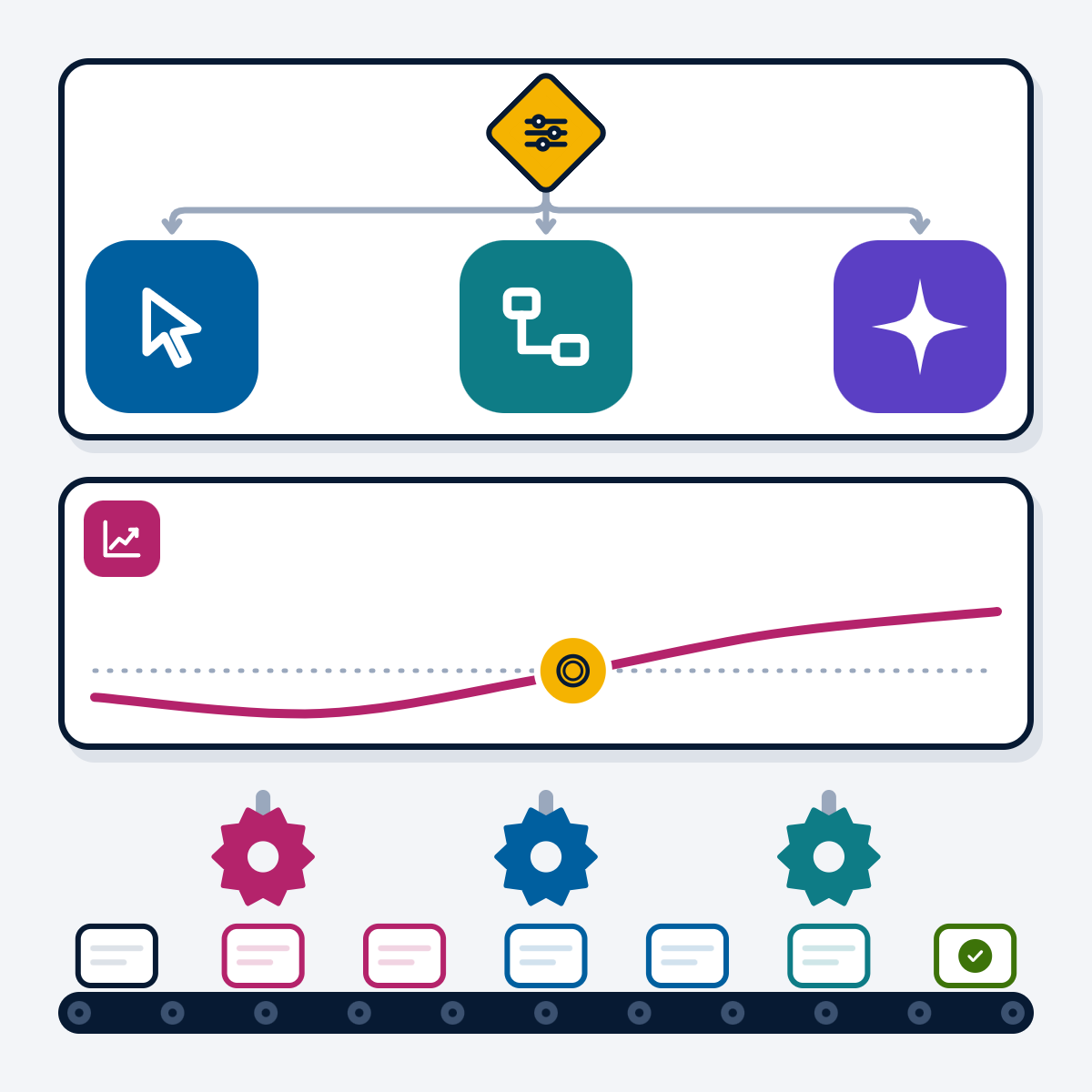
Business process automation: RPA, workflow tools and AI agents compared
Workflow tools, RPA and AI agents solve different automation problems. This guide compares the three, gives a decision flow for…
-
 16 Nov 2026
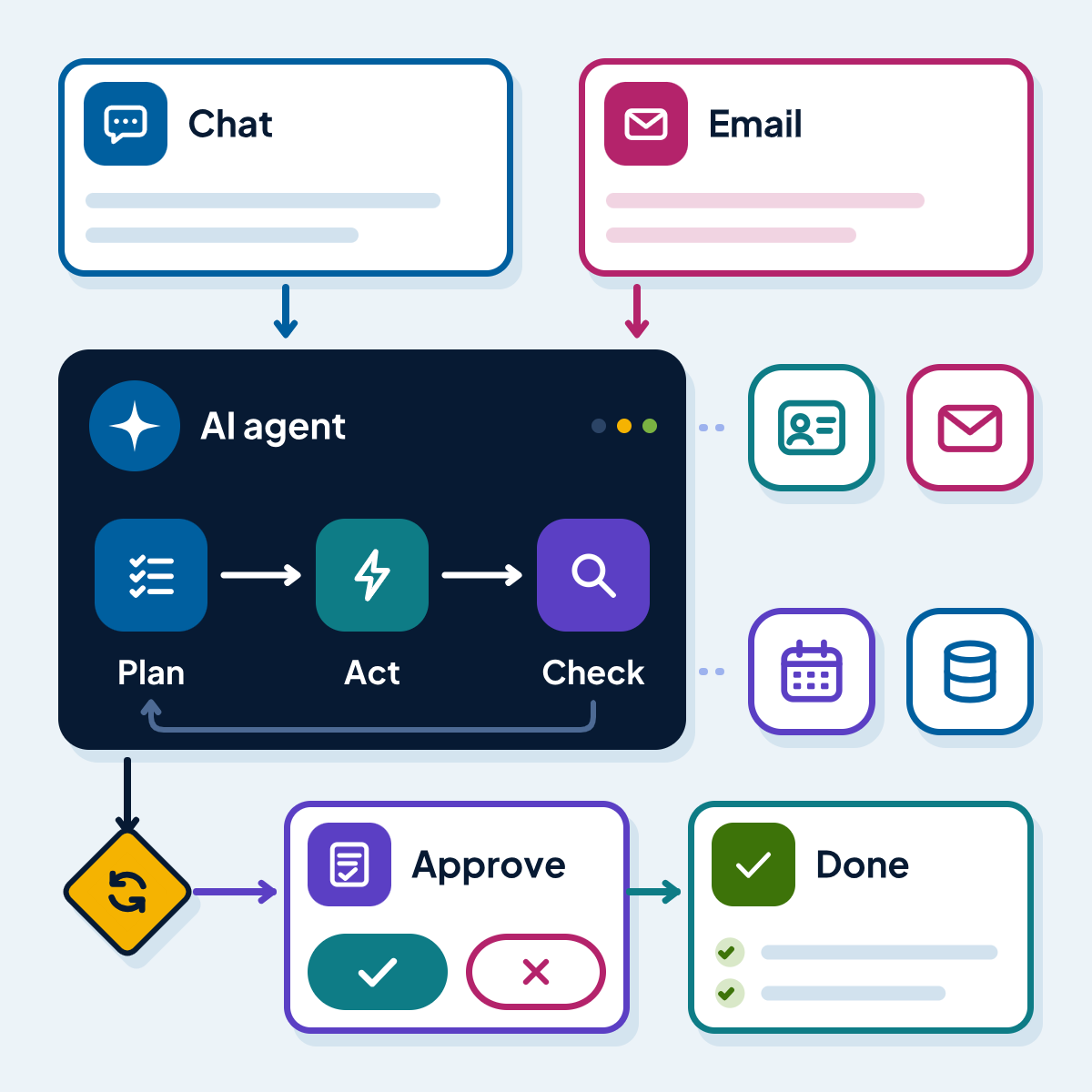
AI agents for business: how they work, where they pay off and what they cost
How AI agents work, where they beat chatbots and RPA bots, where they fail and which guardrails they need. With…
-
 7 Nov 2026
UiPath vs Power Automate: which RPA tool fits your business?
UiPath and Power Automate compared on capabilities, licensing, AI agents and governance, refreshed from both vendors' documentation in November 2026,…
Workflow automation brochure
We connect the apps and systems you already use, automate approvals, notifications and data sync, and build on n8n, Make, Zapier or custom code, whichever suits your volume and budget.
Inside this brochure
- Where manual work hides
- Our workflow automation services
- How a workflow automation project runs
- What to look for in a workflow automation partner
- 2.9 MB
- 10 pages
- AI and automation
You have downloaded from us before, so this one needs no form.
Get the brochure
Tell us who you are and the download starts straight away. We remember you on this device for 90 days, so you only fill this in once.
Your download has started.
If it does not start, download the brochure here. The links work for 15 minutes.
- Your reference
- Brochure
What you can do next
- Read it and share itShare the brochure with your team before you get in touch. It is free to read and share.
- Get a quote when you are readySix short questions on our request a quote page, and a reply within one business day.
Start your Workflow automation project
Tell us what you are planning and a specialist will reply with next steps, a rough timeline and the questions we need answered.
- Emailsales@acmasoft.com
- Call+1 (707) 706 4092
- Prefer a call?
Thank you, your message is on its way.
It has reached our sales team, together with the page you sent it from.
- Your reference
- Budget
While we prepare your reply, here is the Workflow automation brochure.
Download the brochure, Workflow automation brochure, PDF, 2.9 MBWhat happens next
- A specialist gets in touchWithin one business day, by email or phone, with any questions about what you need.
- We talk it throughA short call about your goals, users, timeline and budget. We can sign an NDA first.
- You get a proposalScope, team, timeline and cost, with the engagement model that fits the work.