

AI web development services that add search, assistants and personalisation to your website
At AcmaSoft, we build AI features into websites and web apps, from search that matches what visitors mean to page-level assistants, personalised content and writing tools in your CMS, while keeping pages fast, accessible and easy to edit.
- Years of experience
- 17+
- Clients served
- 650+
- Projects delivered
- 2,000+
- Products shipped
- 300+
What AI changes on a website
Most site search still matches exact words, so a visitor who types “invoice software for a small shop” gets nothing unless a page uses that phrase. Menus, product lists and articles look the same to every visitor, whatever brought them there.
Language models and vector search let a website do more. Search can match meaning as well as keywords, a page can answer questions about the product or document on screen, and the order of content can follow what a visitor has already looked at.
This page covers the AI layer. For the site itself, its design, CMS and hosting, see our website development service, and for language model work outside the browser, such as document search for internal teams, see generative AI development. We measure each feature against the plain version it replaces and keep it only if visitors use it.
What you get with AI web development
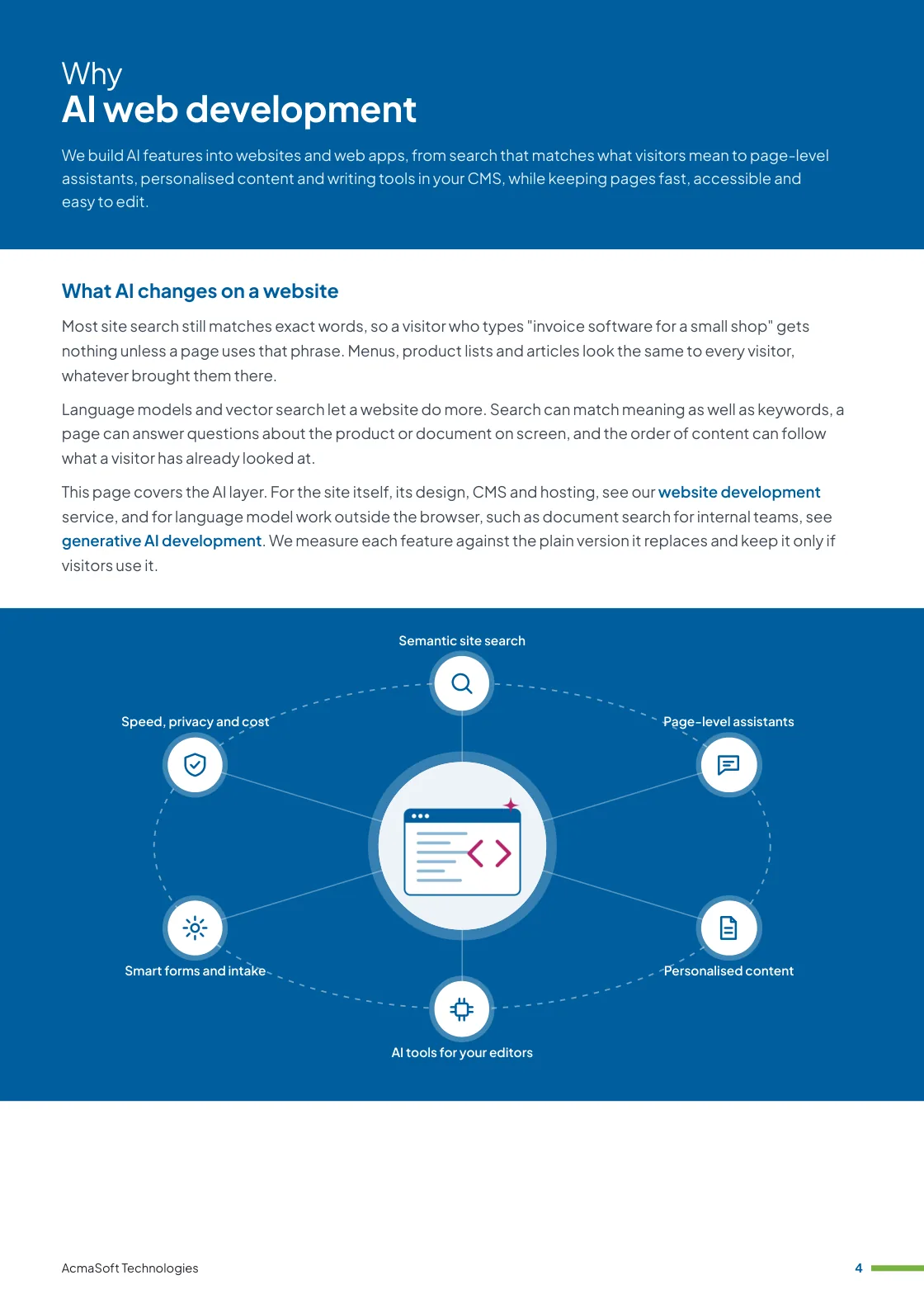
- Semantic site search
- Page-level assistants
- Personalised content
- AI tools for your editors
- Smart forms and intake
- One named lead from first call to launch
- Support and improvements after launch
More in AI and automation
AI features we add to websites and web apps
Six kinds of feature, built into a new site or added to the one you already run.
-
Semantic site search
Results that match intent
We combine vector search, which matches the meaning of a query, with keyword ranking, so a vague question finds the right page and an exact product code still comes first.
Search logs show what visitors look for and fail to find, which points to the content or products you are missing.
-
Page-level assistants
Answers about what is on screen
An assistant placed on a product page, pricing page, help article or account area answers questions about that page and links to the source it used.
It is scoped to helping people finish a task on the site; a support chatbot that works across channels is a separate service.
-
Personalised content
Different visitors, different paths
We reorder products, articles and calls to action using what a visitor has viewed, where they arrived from and, for signed-in users, their account history.
Personalisation runs on first-party data, with consent where the law requires it, and every variant is A/B tested against the default page.
-
AI tools for your editors
Faster publishing in the CMS
Inside WordPress or a headless CMS we add tools that draft summaries, meta descriptions, alt text and translations for an editor to check before publishing.
Nothing goes live without a person approving it, and the tools follow your style guide and list of words to avoid.
-
Smart forms and intake
Fewer back-and-forth emails
Forms that read a free-text request, suggest the right category, ask a follow-up question when details are missing and route the enquiry to the right team.
Visitors can still use the plain form, and every suggestion can be overridden.
-
Speed, privacy and cost
Keeping the site usable
Model calls run on the server, never with API keys in the browser, and responses stream so pages stay responsive. We cache common answers and set spending limits per feature.
AI features are held to the same accessibility standard as the rest of the site, including keyboard use and screen readers.
What to look for in an AI web development company
An AI demo on a blank page is easy. On a live website it has to fit with everything else, so check for:
-
Web fundamentals first
Fast pages, accessible markup, sound SEO and a CMS your team can use matter more than any single AI feature, and a good partner will not trade them away.
-
Measured results
A plan to compare each feature with the existing page through analytics or A/B tests, and to remove what does not help visitors.
-
Clear data handling
Straight answers on what visitor data is sent to a model provider, how long it is kept and how consent is handled.
Ways to work with us
Choose the model that fits your scope and budget for AI web development. Many clients start with one and move to another as the work grows.
-
Fixed price
A defined scope delivered for an agreed price and timeline, in milestones you approve.
- Best for
- Clear requirements, a fixed budget and a firm deadline.
- How it is priced
- One agreed price, paid in instalments tied to milestones.
-
Dedicated team
A team with a project lead that works only on your product, on the priorities you set.
- Best for
- Long-term products and roadmaps that change often.
- How it is priced
- A monthly fee per team member, based on role and seniority.
-
Time and material
You pay for the hours worked and can change the scope as you learn, in short iterations.
- Best for
- Requirements that are hard to fix up front, and ongoing improvements.
- How it is priced
- Hourly or daily rates by role, invoiced monthly against logged time.
Need AI and LLM developers to join your own team instead?
Hire AI and LLM developersWhat our clients say
More client reviews-
Working with AcmaSoft has been a game-changer for our business. Their web development team exceeded our expectations, delivering a seamless and user-friendly platform. Kudos from London!
John D London -
The AcmaSoft team provided exceptional web development service, ensuring our website is not only visually stunning but also highly responsive. A reliable partner indeed.
Ahmed R Dubai
Industries our AI and automation team works in
Our AI and automation team builds for businesses in these industries, and we adapt AI web development to each one's rules, systems and customers.

Technologies we use
We choose the stack for your budget, goals and current systems. Each link explains how we work with that technology or product.
Front end
Back end
Not sure which technology fits your project? Ask one of our architects.
Talk to an architectWorking with international clients
Our team delivers remotely, so the questions that matter are when we can talk and how the work is run. Here are our office hours beside yours.
Our office hours Monday to Saturday, 9:30 am to 6:30 pm India time (IST)
Evening hours for North American clients, by arrangement: Monday to Friday, 6:30 pm to 9:30 pm India time
| Your region | Our hours in your time | Shared working hours |
|---|---|---|
| UKLondon | 4 am to 1 pm | 9 am to 1 pm |
| Central EuropeParis, Berlin | 5 am to 2 pm | 9 am to 2 pm |
| US EastNew York, Toronto | 11 pm to 8 am (next day) Evening hours to 11 am | 9 am to 11 am In our evening hours, by arrangement |
| US WestLos Angeles, Vancouver | 8 pm to 5 am (next day) Evening hours to 8 am | No overlap Early calls 7 am to 8 am, by arrangement |
| GulfDubai, Abu Dhabi | 8 am to 5 pm | 9 am to 5 pm |
| Singapore | 12 noon to 9 pm | 12 noon to 6 pm |
| Australia EastSydney, Melbourne | 3 pm to 12 midnight | 3 pm to 6 pm |
Our day ends before yours starts, so updates are waiting each morning and we agree call times with you.
Times follow daylight saving where your region uses it, against a working day of 9 am to 6 pm. Messages sent outside our hours are picked up when the team is back.
-
Remote delivery
Discovery, design, development and testing run remotely, with one named lead, a demo of working features at the end of each sprint and a staging site you can try.
-
How we stay in touch
Email, video calls and chat such as Slack, Microsoft Teams or WhatsApp, with the hours of overlap and meeting times agreed in the communication plan at the start.
-
Contracts and invoices
Proposals, contracts and invoices are in English and priced in US dollars, or in your own currency on request. A non-disclosure agreement can be signed before you share any details.
-
Privacy laws we design for
We design forms, consent and data handling with the law of your market in mind: GDPR and UK GDPR, CCPA and CPRA, PIPEDA, the UAE PDPL, the Australian Privacy Act, Singapore's PDPA and India's DPDP Act.
Questions about AI web development
Something else on your mind? Ask us directly and a specialist will reply.
Ask a questionCan you add AI features to our existing website?
Usually, yes. Features such as semantic search or a page-level assistant connect to your current site through its CMS or an API, so a rebuild is rarely needed. We review the platform first and tell you if anything in the current setup would hold a feature back.
Will AI features slow our website down?
They should not affect how fast pages first load. Model calls happen on the server after the page has loaded, answers stream as they are generated and common results are cached. We measure page speed before and after each release.
How is AI site search different from the search we have now?
Standard search matches the words typed. AI search also compares meaning, so "something to keep coffee hot" can find a thermal flask. We keep keyword matching alongside it, because exact names and product codes still need exact results.
Which platforms do you work with?
WordPress, headless setups with a framework such as Next.js, and custom web apps in PHP, Node.js or Python. The AI features live in a service the site calls, so the same approach works across platforms.
What does it cost to run AI features on a website?
Running cost depends on traffic and on how often each feature calls a model. We estimate it per feature before building, use smaller models where quality allows, cache repeated answers and set monthly spending limits with alerts.
Related insights
All insights-
 16 Nov 2026
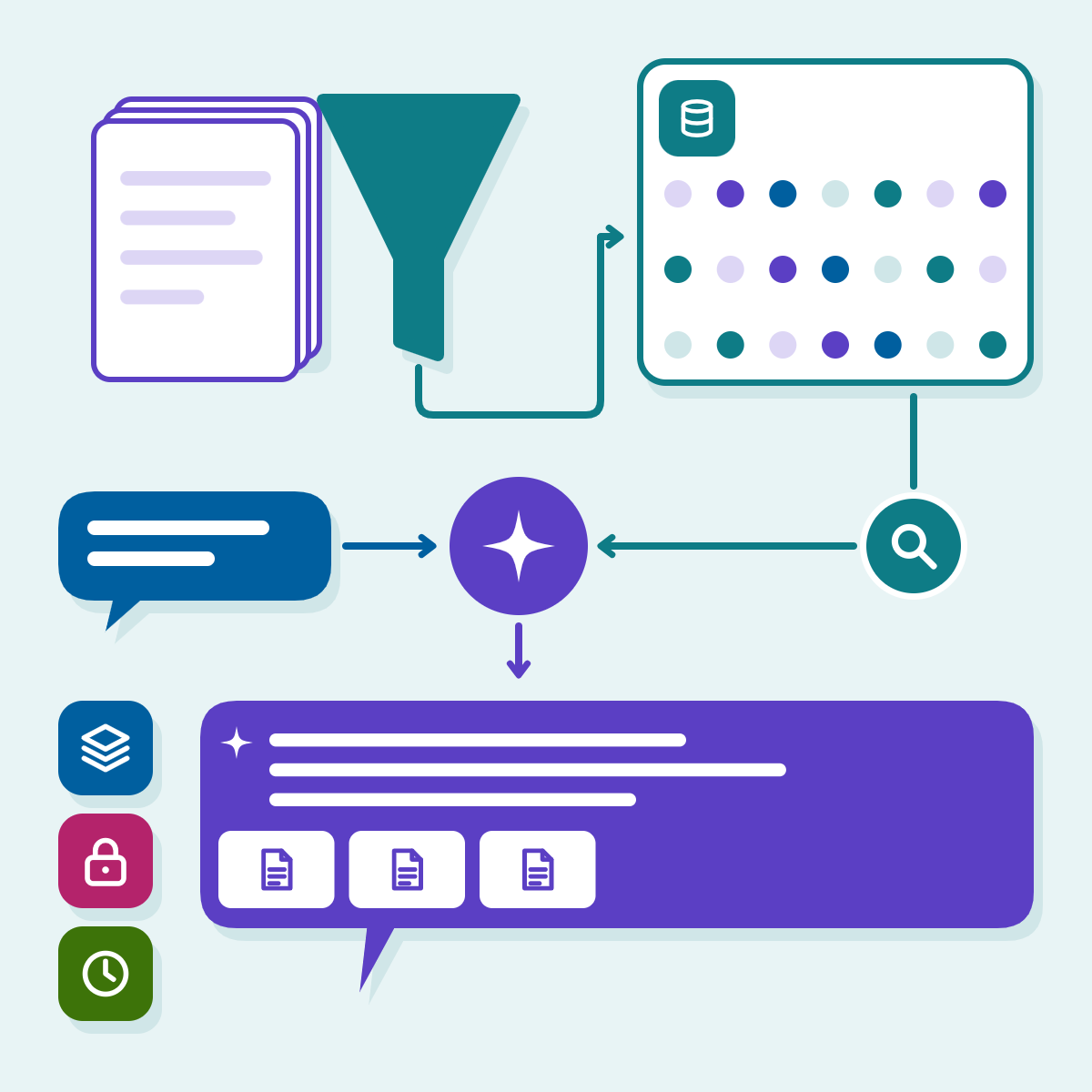
RAG explained: how retrieval-augmented generation works and when a business needs it
A plain walk-through of retrieval-augmented generation, a minimal pgvector query, the decisions that decide quality (chunking, permissions, freshness, evaluation) and…
-
 16 Nov 2026
Choosing an LLM in 2026: GPT, Claude, Gemini, Llama and Mistral compared for business use
GPT, Claude, Gemini, Llama and Mistral compared on what decides a business project: price per million tokens, context, tool use,…
-
 16 Nov 2026
Chatbot development cost in 2026: a breakdown by type and channel
What drives the build and run cost of a chatbot by type and channel, with model prices and WhatsApp pricing…
AI web development brochure
We build AI features into websites and web apps, from search that matches what visitors mean to page-level assistants, personalised content and writing tools in your CMS, while keeping pages fast, accessible and easy to edit.
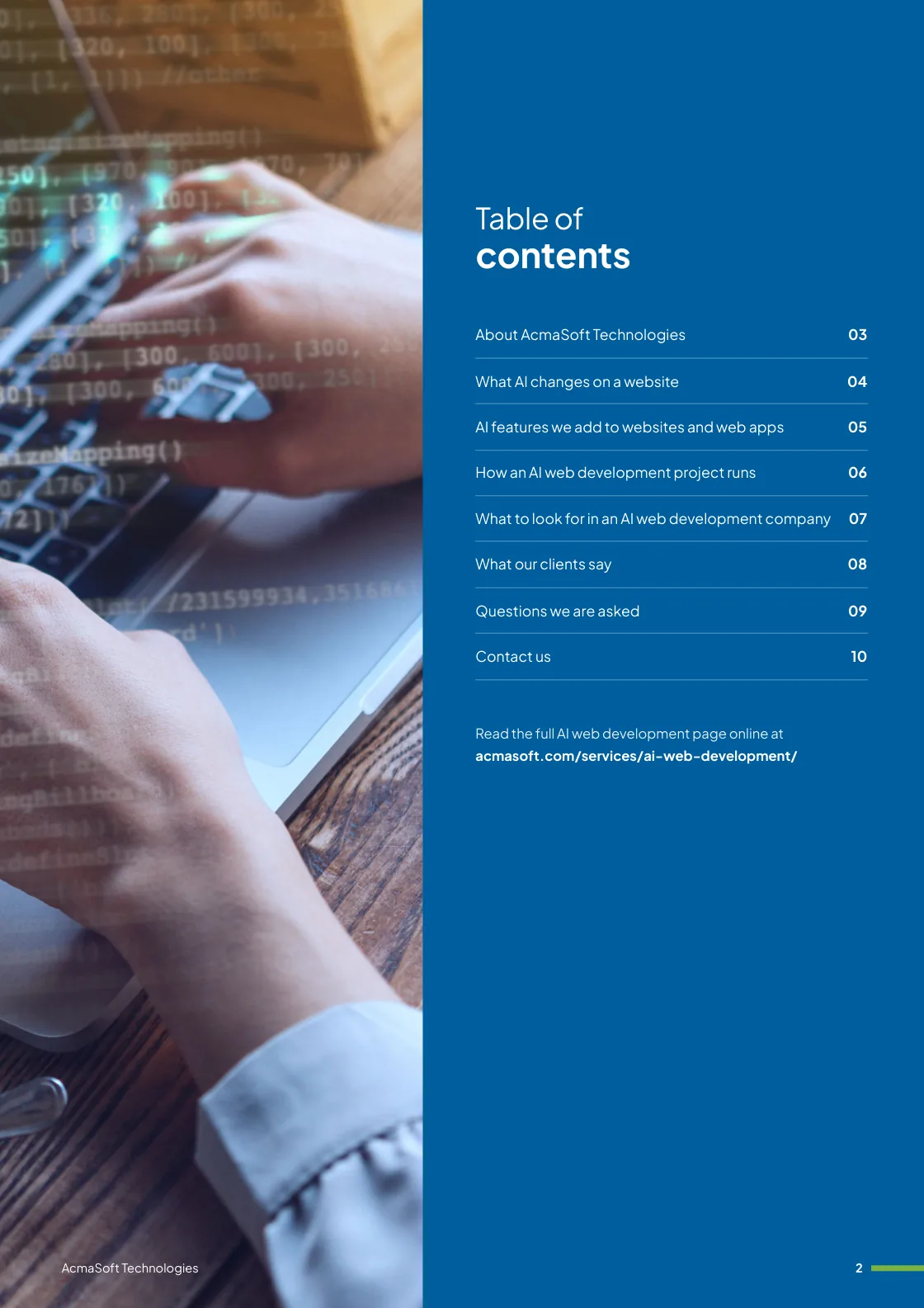
Inside this brochure
- What AI changes on a website
- AI features we add to websites and web apps
- How an AI web development project runs
- Technologies and solutions
- 2.7 MB
- 10 pages
- AI and automation
You have downloaded from us before, so this one needs no form.
Get the brochure
Tell us who you are and the download starts straight away. We remember you on this device for 90 days, so you only fill this in once.
Your download has started.
If it does not start, download the brochure here. The links work for 15 minutes.
- Your reference
- Brochure
What you can do next
- Read it and share itShare the brochure with your team before you get in touch. It is free to read and share.
- Get a quote when you are readySix short questions on our request a quote page, and a reply within one business day.
Start your AI web development project
Tell us what you are planning and a specialist will reply with next steps, a rough timeline and the questions we need answered.
- Emailsales@acmasoft.com
- Call+1 (707) 706 4092
- Prefer a call?
Thank you, your message is on its way.
It has reached our sales team, together with the page you sent it from.
- Your reference
- Budget
While we prepare your reply, here is the AI web development brochure.
Download the brochure, AI web development brochure, PDF, 2.7 MBWhat happens next
- A specialist gets in touchWithin one business day, by email or phone, with any questions about what you need.
- We talk it throughA short call about your goals, users, timeline and budget. We can sign an NDA first.
- You get a proposalScope, team, timeline and cost, with the engagement model that fits the work.