

Document and invoice automation with OCR and AI data extraction
At AcmaSoft, we extract data from invoices, forms and contracts with OCR and language models, validate it against your rules and records, and send it to your accounting software or ERP, with people reviewing anything uncertain.
- Years of experience
- 17+
- Clients served
- 650+
- Projects delivered
- 2,000+
- Products shipped
- 300+
The cost of typing data by hand
Invoices, purchase orders, forms and contracts still arrive as PDFs, scans and email attachments. Someone reads each one, types the details into another system and checks the totals, and mistakes surface weeks later as payment errors or reconciliation problems.
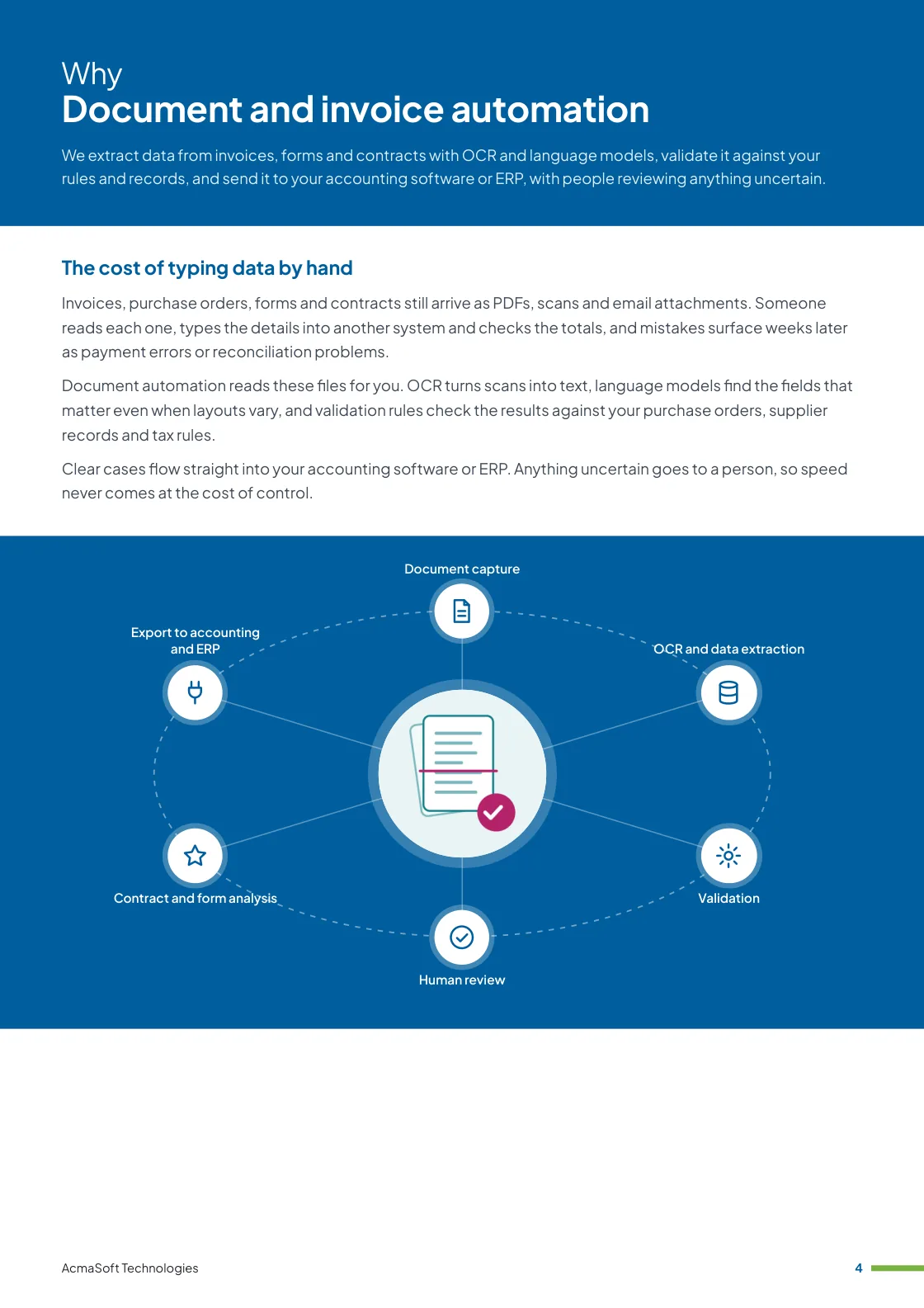
Document automation reads these files for you. OCR turns scans into text, language models find the fields that matter even when layouts vary, and validation rules check the results against your purchase orders, supplier records and tax rules.
Clear cases flow straight into your accounting software or ERP. Anything uncertain goes to a person, so speed never comes at the cost of control.
What you get with document and invoice automation
- Document capture
- OCR and data extraction
- Validation
- Human review
- Contract and form analysis
- One named lead from first call to launch
- Support and improvements after launch
More in AI and automation
How our document automation works
Six stages turn a pile of documents into checked, structured data.
-
Document capture
Collecting every file
Documents are collected from shared mailboxes, upload folders, scanners, supplier portals or your existing systems, with duplicates detected on arrival.
Each file is classified by type, so invoices, receipts and contracts follow the right process.
-
OCR and data extraction
Reading varied layouts
OCR converts scans and photos into text, and language models extract fields such as supplier, invoice number, dates, line items, tax and totals.
This handles varied layouts without building a template for every supplier.
-
Validation
Catching errors early
Extracted data is checked against your rules: totals that add up, valid tax numbers such as GSTIN, matching purchase orders and known suppliers.
Each field carries a confidence score, and anything below the threshold is flagged.
-
Human review
People where it counts
Flagged documents appear in a review screen with the original file beside the extracted data, so a reviewer can correct and approve them quickly.
Corrections are recorded and used to improve extraction over time.
-
Contract and form analysis
Beyond invoices
For contracts and long documents we extract parties, dates, renewal terms, obligations and amounts, and can summarise clauses for review.
Summaries support your legal and finance teams; they do not replace their judgement.
-
Export to accounting and ERP
Data where you need it
Approved data is posted to Tally, Zoho Books, QuickBooks, Xero, SAP or your own ERP through APIs or import files, with a link back to the source document.
An audit trail records who approved what and when.
What to look for in a document automation partner
Extraction demos often use clean sample files. Your real documents are messier, so look for:
-
Testing on your documents
Accuracy measured on a sample of your own files, including poor scans and unusual layouts, before you commit to a full rollout.
-
Review built in
A clear process for low-confidence fields and exceptions, rather than a promise that the system never makes mistakes.
-
Integration experience
Proven ways to post data into accounting and ERP systems with matching, approvals and audit trails.
Ways to work with us
Choose the model that fits your scope and budget for document and invoice automation. Many clients start with one and move to another as the work grows.
-
Fixed price
A defined scope delivered for an agreed price and timeline, in milestones you approve.
- Best for
- Clear requirements, a fixed budget and a firm deadline.
- How it is priced
- One agreed price, paid in instalments tied to milestones.
-
Dedicated team
A team with a project lead that works only on your product, on the priorities you set.
- Best for
- Long-term products and roadmaps that change often.
- How it is priced
- A monthly fee per team member, based on role and seniority.
-
Time and material
You pay for the hours worked and can change the scope as you learn, in short iterations.
- Best for
- Requirements that are hard to fix up front, and ongoing improvements.
- How it is priced
- Hourly or daily rates by role, invoiced monthly against logged time.
Need AI and LLM developers to join your own team instead?
Hire AI and LLM developersWhat our clients say
More client reviews-
The adaptive nature of AcmaSoft's agile development is commendable. Changes are seamlessly incorporated, ensuring our project stays on track and meets our evolving needs.
Mei Ling Singapore -
Collaborating with AcmaSoft using agile methods has been a pleasure. Their team's adaptability and communication ensure a smooth development journey.
Rahul S Bangalore
Industries our AI and automation team works in
Our AI and automation team builds for businesses in these industries, and we adapt document and invoice automation to each one's rules, systems and customers.


Working with international clients
Our team delivers remotely, so the questions that matter are when we can talk and how the work is run. Here are our office hours beside yours.
Our office hours Monday to Saturday, 9:30 am to 6:30 pm India time (IST)
Evening hours for North American clients, by arrangement: Monday to Friday, 6:30 pm to 9:30 pm India time
| Your region | Our hours in your time | Shared working hours |
|---|---|---|
| UKLondon | 4 am to 1 pm | 9 am to 1 pm |
| Central EuropeParis, Berlin | 5 am to 2 pm | 9 am to 2 pm |
| US EastNew York, Toronto | 11 pm to 8 am (next day) Evening hours to 11 am | 9 am to 11 am In our evening hours, by arrangement |
| US WestLos Angeles, Vancouver | 8 pm to 5 am (next day) Evening hours to 8 am | No overlap Early calls 7 am to 8 am, by arrangement |
| GulfDubai, Abu Dhabi | 8 am to 5 pm | 9 am to 5 pm |
| Singapore | 12 noon to 9 pm | 12 noon to 6 pm |
| Australia EastSydney, Melbourne | 3 pm to 12 midnight | 3 pm to 6 pm |
Our day ends before yours starts, so updates are waiting each morning and we agree call times with you.
Times follow daylight saving where your region uses it, against a working day of 9 am to 6 pm. Messages sent outside our hours are picked up when the team is back.
-
Remote delivery
Discovery, design, development and testing run remotely, with one named lead, a demo of working features at the end of each sprint and a staging site you can try.
-
How we stay in touch
Email, video calls and chat such as Slack, Microsoft Teams or WhatsApp, with the hours of overlap and meeting times agreed in the communication plan at the start.
-
Contracts and invoices
Proposals, contracts and invoices are in English and priced in US dollars, or in your own currency on request. A non-disclosure agreement can be signed before you share any details.
-
Privacy laws we design for
We design forms, consent and data handling with the law of your market in mind: GDPR and UK GDPR, CCPA and CPRA, PIPEDA, the UAE PDPL, the Australian Privacy Act, Singapore's PDPA and India's DPDP Act.
Questions about document and invoice automation
Something else on your mind? Ask us directly and a specialist will reply.
Ask a questionWhich documents can you process?
Invoices, purchase orders, receipts, forms, delivery notes, contracts and similar business documents, whether they arrive as PDFs, scans, photos or email attachments, including layouts that differ from supplier to supplier.
How accurate is the data extraction?
It depends on the quality and variety of your documents. We measure accuracy on a sample of your real documents before launch, and any field that fails validation or falls below a confidence threshold goes to a person for review instead of being posted.
Can the data go straight into our accounting software or ERP?
Yes. Validated data can be exported to systems such as Tally, Zoho Books, QuickBooks, Xero, SAP or your own ERP through their APIs or import formats, with a record of who approved each document.
How is sensitive document data protected?
Documents are processed with access controls and encryption in transit and at rest, we use AI providers whose terms exclude training on your data, and files are kept only as long as you need them.
Do our suppliers need to change how they send documents?
No. Documents can be collected from a shared mailbox, an upload folder, a scanner or your existing system, so suppliers and staff keep working as they do today.
Related insights
All insights-
 16 Nov 2026
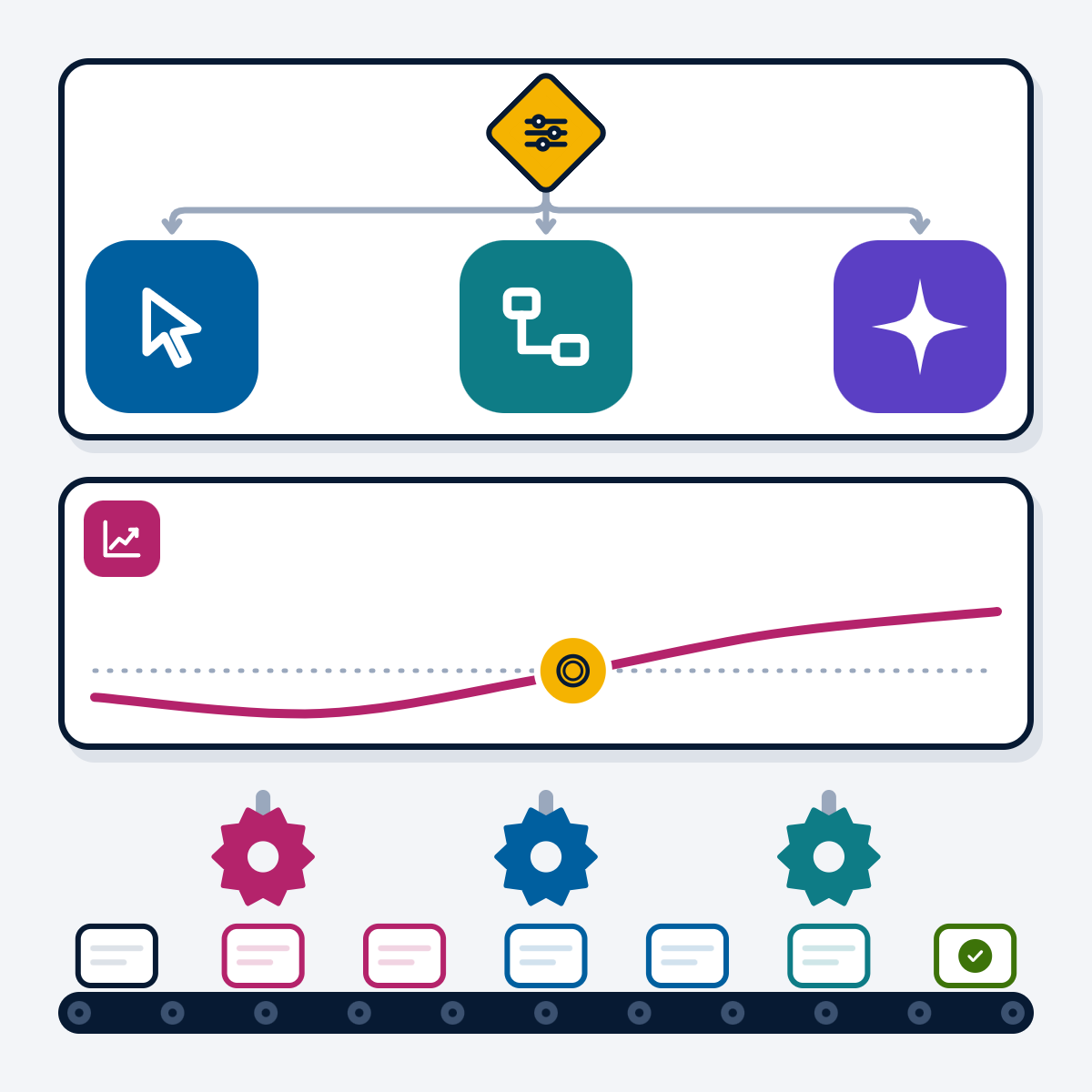
Business process automation: RPA, workflow tools and AI agents compared
Workflow tools, RPA and AI agents solve different automation problems. This guide compares the three, gives a decision flow for…
-
 7 Nov 2026
UiPath vs Power Automate: which RPA tool fits your business?
UiPath and Power Automate compared on capabilities, licensing, AI agents and governance, refreshed from both vendors' documentation in November 2026,…
-
 3 Nov 2026
AI use cases for business: practical examples by department and industry
Practical AI use cases for support, sales, finance, HR, operations and IT, with examples from AI products we build and…
Document and invoice automation brochure
We extract data from invoices, forms and contracts with OCR and language models, validate it against your rules and records, and send it to your accounting software or ERP, with people reviewing anything uncertain.
Inside this brochure
- The cost of typing data by hand
- How our document automation works
- How a document automation project runs
- What to look for in a document automation partner
- 2.9 MB
- 10 pages
- AI and automation
You have downloaded from us before, so this one needs no form.
Get the brochure
Tell us who you are and the download starts straight away. We remember you on this device for 90 days, so you only fill this in once.
Your download has started.
If it does not start, download the brochure here. The links work for 15 minutes.
- Your reference
- Brochure
What you can do next
- Read it and share itShare the brochure with your team before you get in touch. It is free to read and share.
- Get a quote when you are readySix short questions on our request a quote page, and a reply within one business day.
Start your Document and invoice automation project
Tell us what you are planning and a specialist will reply with next steps, a rough timeline and the questions we need answered.
- Emailsales@acmasoft.com
- Call+1 (707) 706 4092
- Prefer a call?
Thank you, your message is on its way.
It has reached our sales team, together with the page you sent it from.
- Your reference
- Budget
While we prepare your reply, here is the Document and invoice automation brochure.
Download the brochure, Document and invoice automation brochure, PDF, 2.9 MBWhat happens next
- A specialist gets in touchWithin one business day, by email or phone, with any questions about what you need.
- We talk it throughA short call about your goals, users, timeline and budget. We can sign an NDA first.
- You get a proposalScope, team, timeline and cost, with the engagement model that fits the work.