

AI customer support agents that triage tickets and resolve routine requests
At AcmaSoft, we build AI support agents that work inside your helpdesk: they sort and prioritise incoming tickets, draft or send answers from your knowledge base, take approved actions such as checking an order or creating a return label, and escalate the rest to your team.
- Years of experience
- 17+
- Clients served
- 650+
- Projects delivered
- 2,000+
- Products shipped
- 300+
Where an AI agent fits in your support team
Support teams spend much of the day on work that comes before the actual help: reading each ticket, tagging it, finding the right person, looking up the order and searching the help centre for an answer someone wrote last year.
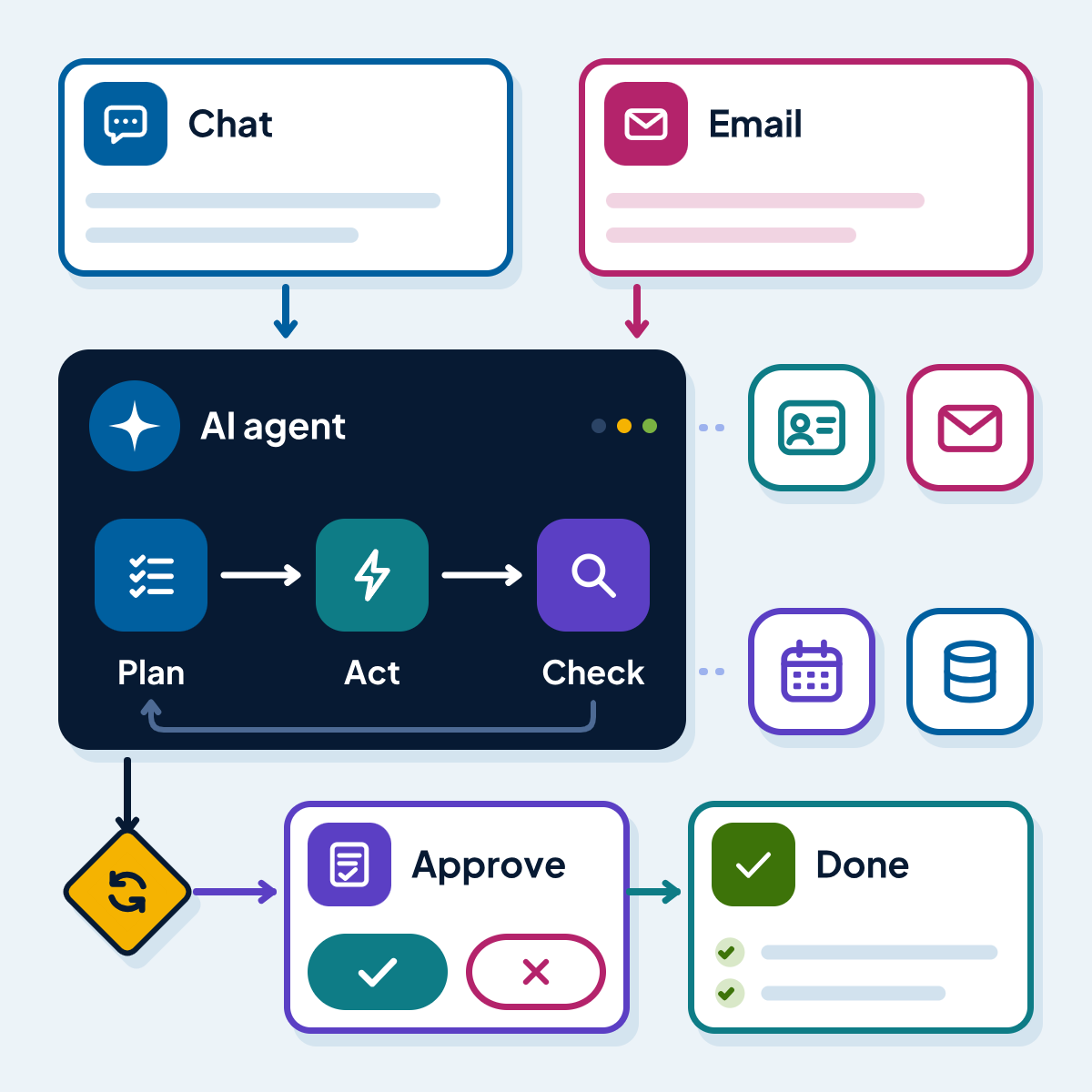
An AI customer support agent takes on that groundwork across email, web form and chat tickets. It classifies and routes requests, prepares replies grounded in your knowledge base and, where you allow it, completes simple actions in your systems. Your agents review its drafts at first, and automatic replies are switched on only for categories where it has proven accurate.
This page is about support operations behind the helpdesk. For agents that run other multi-step business processes, see AI agent development; for a customer-facing assistant on your website, see AI chatbots.
What you get with AI customer support agent development
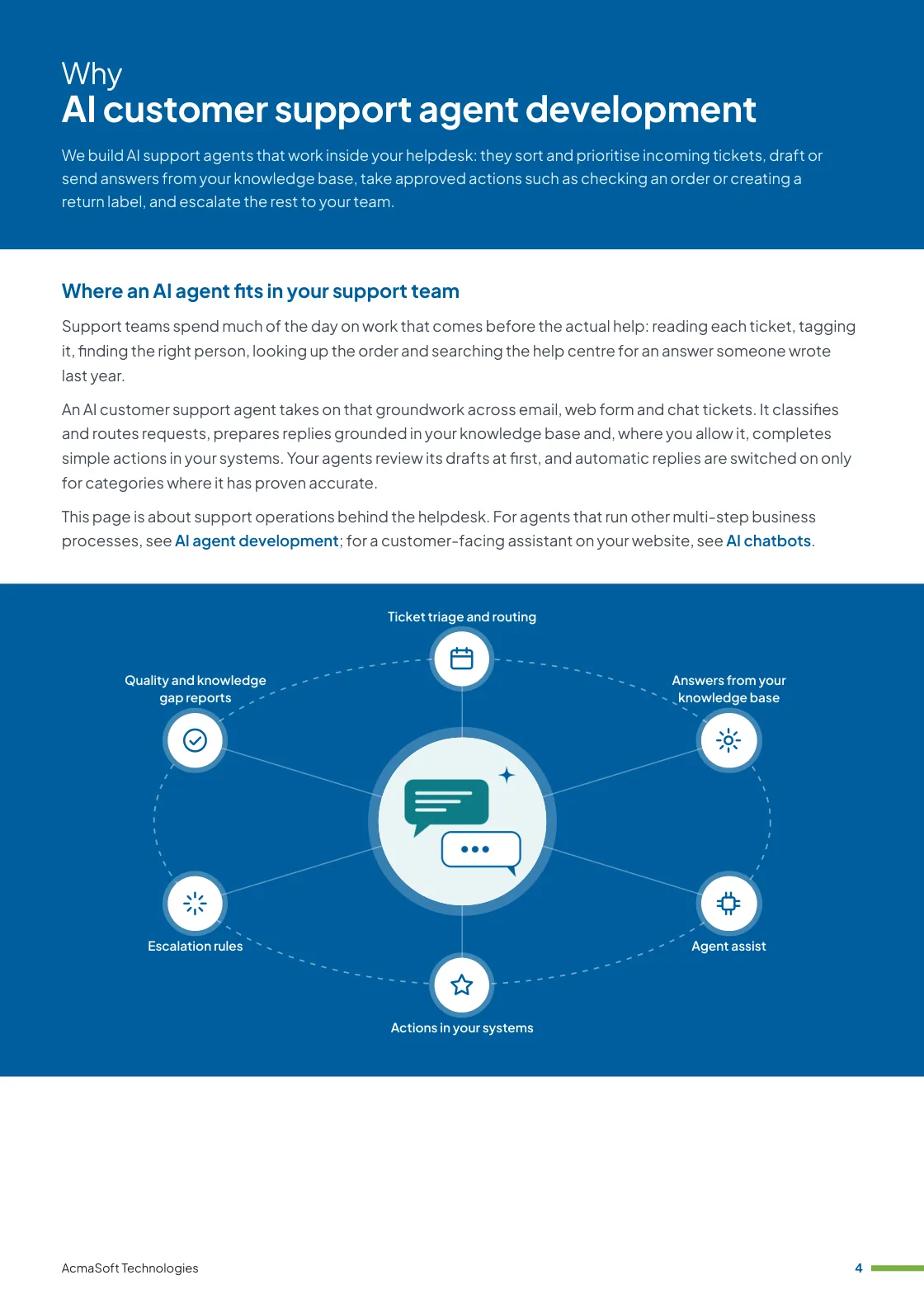
- Ticket triage and routing
- Answers from your knowledge base
- Agent assist
- Actions in your systems
- Escalation rules
- One named lead from first call to launch
- Support and improvements after launch
More in AI and automation
What our AI support agents do
Six jobs an AI agent can take on in a support queue, introduced one at a time as accuracy is proven.
-
Ticket triage and routing
The right queue, first time
Each new ticket is read, given a category, priority, language and sentiment, matched to the customer record and sent to the right team or person.
Duplicate and related tickets are linked, so one problem is not answered three times.
-
Answers from your knowledge base
Replies backed by your content
The agent searches your help centre, macros, policies and past resolved tickets, and drafts a reply that cites the articles it used.
If the knowledge base holds no answer, it says so rather than guessing.
-
Agent assist
Drafts your team approves
Inside Zendesk, Freshdesk, Zoho Desk, Intercom or a similar helpdesk, your agents see a suggested reply, a summary of long threads and the customer’s recent orders.
They edit and send, and their edits show where the AI needs improving.
-
Actions in your systems
Doing, not only answering
With narrow permissions the agent can check order and delivery status, update an address before dispatch, create return labels, resend invoices or start an access reset through your existing tools.
Refunds, credits and account changes above limits you set wait for a person.
-
Escalation rules
Knowing when to step back
Complaints, legal or safety issues, unhappy repeat contacts and high-value accounts go straight to a person with a summary of the case.
You set the rules, and the agent applies them in every channel.
-
Quality and knowledge gap reports
Improving support over time
We track accuracy, how often drafts are sent unchanged, reopened tickets and customer satisfaction for tickets the AI handled.
Regular reports list the questions your knowledge base cannot answer, so your team knows which articles to write next.
What to look for in an AI customer support partner
Helpdesk vendors and agencies all offer AI features now. Choose a partner who brings:
-
Support operations sense
An understanding of queues, service levels, macros and escalation paths, so the AI fits how your team already works.
-
Step-by-step automation
A plan that starts with triage and drafts for review, and widens automatic replies only where measured accuracy supports it.
-
Clean helpdesk integration
Experience with helpdesk APIs and permissions, so the agent works inside your existing tools and leaves a full audit trail.
Ways to work with us
Choose the model that fits your scope and budget for AI customer support agent development. Many clients start with one and move to another as the work grows.
-
Fixed price
A defined scope delivered for an agreed price and timeline, in milestones you approve.
- Best for
- Clear requirements, a fixed budget and a firm deadline.
- How it is priced
- One agreed price, paid in instalments tied to milestones.
-
Dedicated team
A team with a project lead that works only on your product, on the priorities you set.
- Best for
- Long-term products and roadmaps that change often.
- How it is priced
- A monthly fee per team member, based on role and seniority.
-
Time and material
You pay for the hours worked and can change the scope as you learn, in short iterations.
- Best for
- Requirements that are hard to fix up front, and ongoing improvements.
- How it is priced
- Hourly or daily rates by role, invoiced monthly against logged time.
Need AI and LLM developers to join your own team instead?
Hire AI and LLM developersWhat our clients say
More client reviews-
Kudos to AcmaSoft for their innovative approach to software development. Their solutions are cutting-edge, providing a significant competitive advantage.
Aisha R Dubai -
AcmaSoft's agile development methods are a game-changer. The iterative approach allowed us to witness progress at every stage, ensuring our project's success.
Daniel K Chicago
Industries our AI and automation team works in
Our AI and automation team builds for businesses in these industries, and we adapt AI customer support agent development to each one's rules, systems and customers.



Working with international clients
Our team delivers remotely, so the questions that matter are when we can talk and how the work is run. Here are our office hours beside yours.
Our office hours Monday to Saturday, 9:30 am to 6:30 pm India time (IST)
Evening hours for North American clients, by arrangement: Monday to Friday, 6:30 pm to 9:30 pm India time
| Your region | Our hours in your time | Shared working hours |
|---|---|---|
| UKLondon | 4 am to 1 pm | 9 am to 1 pm |
| Central EuropeParis, Berlin | 5 am to 2 pm | 9 am to 2 pm |
| US EastNew York, Toronto | 11 pm to 8 am (next day) Evening hours to 11 am | 9 am to 11 am In our evening hours, by arrangement |
| US WestLos Angeles, Vancouver | 8 pm to 5 am (next day) Evening hours to 8 am | No overlap Early calls 7 am to 8 am, by arrangement |
| GulfDubai, Abu Dhabi | 8 am to 5 pm | 9 am to 5 pm |
| Singapore | 12 noon to 9 pm | 12 noon to 6 pm |
| Australia EastSydney, Melbourne | 3 pm to 12 midnight | 3 pm to 6 pm |
Our day ends before yours starts, so updates are waiting each morning and we agree call times with you.
Times follow daylight saving where your region uses it, against a working day of 9 am to 6 pm. Messages sent outside our hours are picked up when the team is back.
-
Remote delivery
Discovery, design, development and testing run remotely, with one named lead, a demo of working features at the end of each sprint and a staging site you can try.
-
How we stay in touch
Email, video calls and chat such as Slack, Microsoft Teams or WhatsApp, with the hours of overlap and meeting times agreed in the communication plan at the start.
-
Contracts and invoices
Proposals, contracts and invoices are in English and priced in US dollars, or in your own currency on request. A non-disclosure agreement can be signed before you share any details.
-
Privacy laws we design for
We design forms, consent and data handling with the law of your market in mind: GDPR and UK GDPR, CCPA and CPRA, PIPEDA, the UAE PDPL, the Australian Privacy Act, Singapore's PDPA and India's DPDP Act.
Questions about AI customer support agent development
Something else on your mind? Ask us directly and a specialist will reply.
Ask a questionWhich helpdesk tools can the AI agent work with?
Any helpdesk with an API, including Zendesk, Freshdesk, Zoho Desk, Intercom, HubSpot and Jira Service Management. The agent reads and updates tickets inside that tool, so your team keeps its current setup and workflows.
Will the AI reply to customers without anyone checking?
Only where you decide it should. Most projects begin with the agent drafting replies for your team to approve. Automatic replies are switched on category by category once drafts have proven accurate over a meaningful sample, and team leads keep checking a share of them.
How is this different from the AI features built into our helpdesk?
Built-in features are a good starting point and we often use them. A custom agent adds what they may not cover: your own business rules, actions in systems outside the helpdesk such as order or billing tools, and evaluation on your own tickets.
What happens when the agent is not sure of an answer?
It escalates. Low-confidence answers, missing knowledge, sensitive topics and repeat complaints go to a person with a summary, the customer history and the articles the agent checked.
How do you protect customer data in tickets?
The agent can only reach the fields and systems its tasks need, personal details can be masked before they reach the model, and we choose model providers and settings that do not use your tickets for training. Every action the agent takes is logged.
Related insights
All insights-
 16 Nov 2026
AI agents for business: how they work, where they pay off and what they cost
How AI agents work, where they beat chatbots and RPA bots, where they fail and which guardrails they need. With…
-
 3 Nov 2026
AI use cases for business: practical examples by department and industry
Practical AI use cases for support, sales, finance, HR, operations and IT, with examples from AI products we build and…
-
 16 Nov 2026
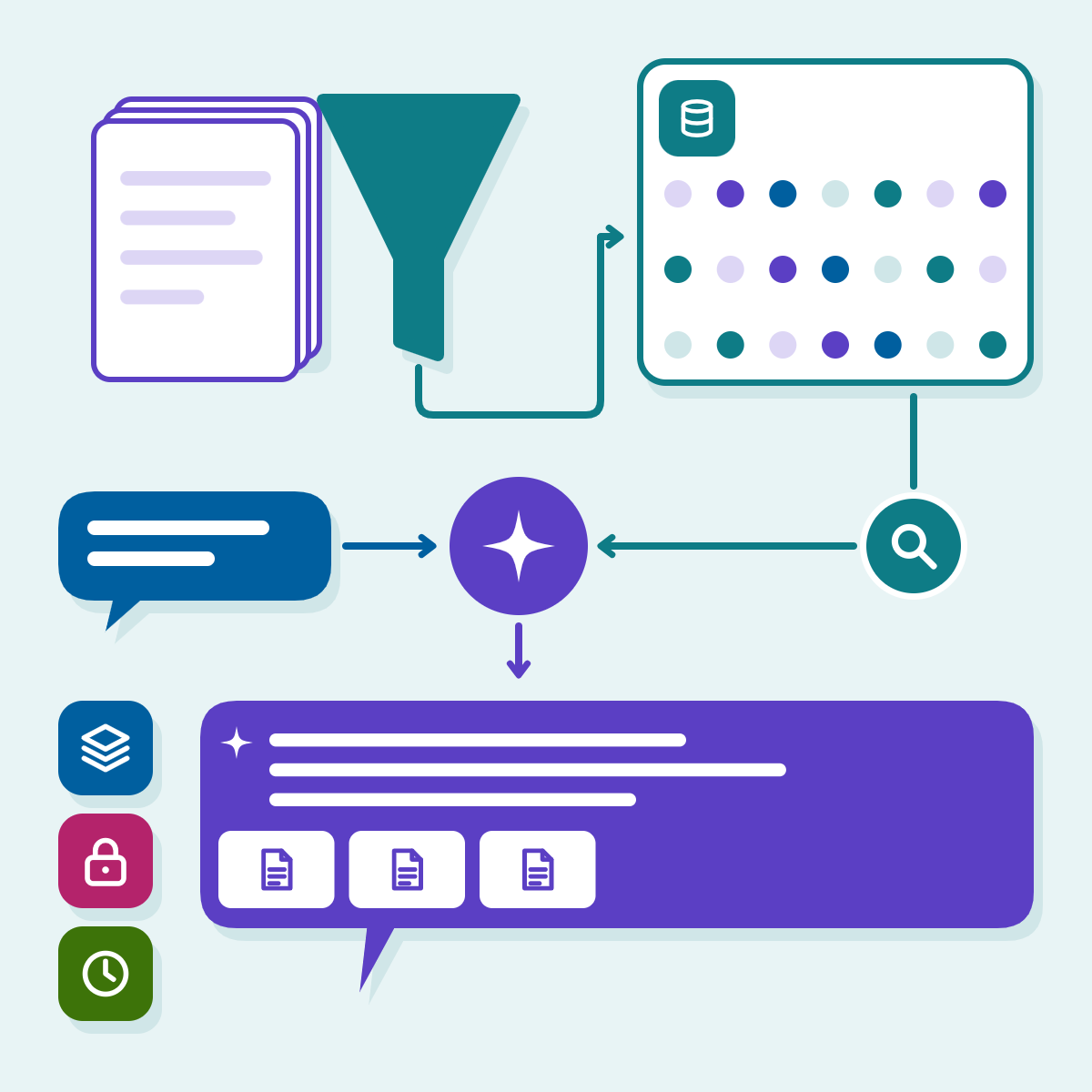
RAG explained: how retrieval-augmented generation works and when a business needs it
A plain walk-through of retrieval-augmented generation, a minimal pgvector query, the decisions that decide quality (chunking, permissions, freshness, evaluation) and…
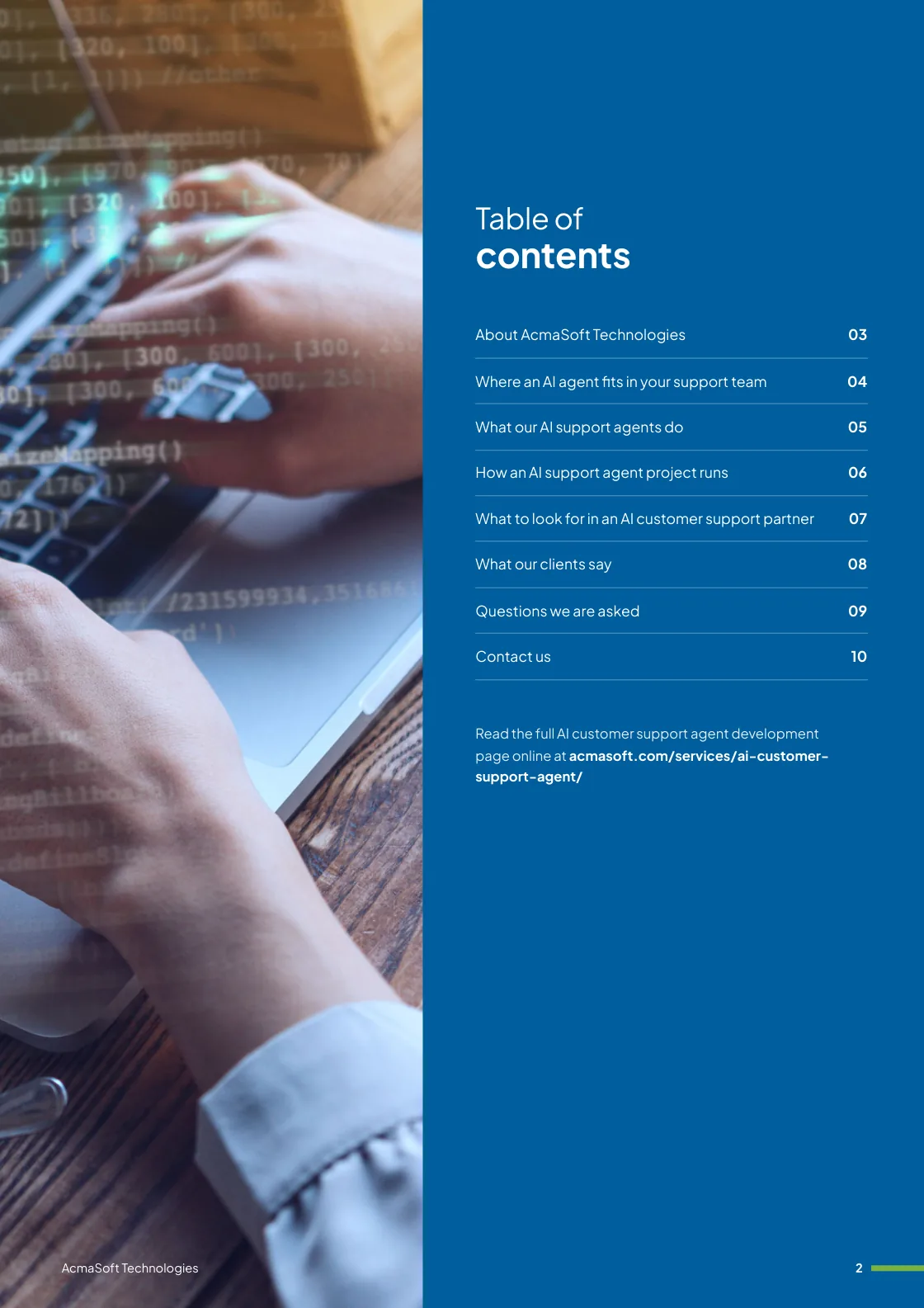
AI customer support agent development brochure
We build AI support agents that work inside your helpdesk: they sort and prioritise incoming tickets, draft or send answers from your knowledge base, take approved actions such as checking an order or creating a return label, and escalate the rest to your team.
Inside this brochure
- Where an AI agent fits in your support team
- What our AI support agents do
- How an AI support agent project runs
- What to look for in an AI customer support partner
- 2.8 MB
- 10 pages
- AI and automation
You have downloaded from us before, so this one needs no form.
Get the brochure
Tell us who you are and the download starts straight away. We remember you on this device for 90 days, so you only fill this in once.
Your download has started.
If it does not start, download the brochure here. The links work for 15 minutes.
- Your reference
- Brochure
What you can do next
- Read it and share itShare the brochure with your team before you get in touch. It is free to read and share.
- Get a quote when you are readySix short questions on our request a quote page, and a reply within one business day.
Start your AI customer support agent development project
Tell us what you are planning and a specialist will reply with next steps, a rough timeline and the questions we need answered.
- Emailsales@acmasoft.com
- Call+1 (707) 706 4092
- Prefer a call?
Thank you, your message is on its way.
It has reached our sales team, together with the page you sent it from.
- Your reference
- Budget
While we prepare your reply, here is the AI customer support agent development brochure.
Download the brochure, AI customer support agent development brochure, PDF, 2.8 MBWhat happens next
- A specialist gets in touchWithin one business day, by email or phone, with any questions about what you need.
- We talk it throughA short call about your goals, users, timeline and budget. We can sign an NDA first.
- You get a proposalScope, team, timeline and cost, with the engagement model that fits the work.